· by max
play music on your macbook trackpad
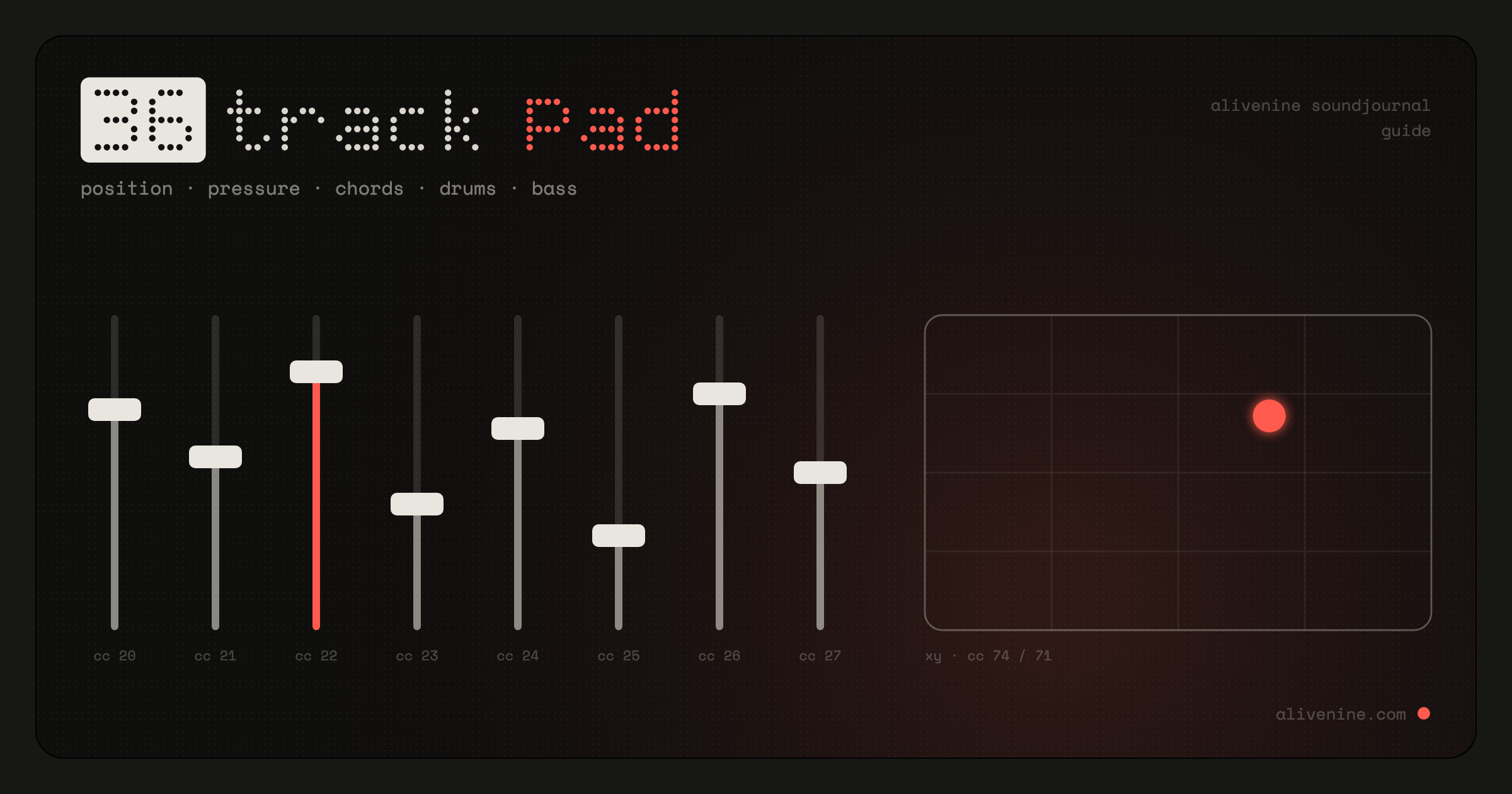
The trackpad on a MacBook is a large, flat, multi-touch surface that knows where every finger is and how hard you press. That's most of what a pad controller does. You can use it two ways: as a MIDI controller for any instrument in your DAW, or inside an instrument that was built to be played on it. This guide covers both, how pressure works on a Force Touch trackpad, where latency comes from, and how I set up alivesynth, alivedrum and alivebass to be played with your fingers.
- a macbook trackpad reports the position of each finger from 0 to 1 across the whole surface, several fingers at once. that's enough for pads, zones and sliders.
- a force touch trackpad also reports pressure in two stages: the normal click, and a deeper force click behind it.
- apps that send midi from the trackpad work with any daw. instruments that read the trackpad directly can do more with pressure and position.
- keep the audio buffer at 128 or 256 samples while you play. at 48 khz that's 2.7 or 5.3 ms per buffer.
- leave the pointer over the play area. macos sends touches to whatever is under the pointer.
what the trackpad can sense
macOS gives apps three kinds of information from a trackpad. A regular app only sees the pointer and the click. An app that asks for touches gets much more.
| Signal | What it is | What it's good for |
|---|---|---|
| Finger position | X and y from 0 to 1 on the whole surface, one value pair per finger | Pads, zones, sliders, pitch and filter |
| Several fingers | Each finger has its own identity while it rests on the glass | Chords, two drums at once, one finger bending while others hold |
| Pressure | A continuous value while you press the glass down, in two stages on Force Touch | Brightness, volume, vibrato, hold |
| Haptic click | A short tap the trackpad plays back to your finger | A confirmation you feel, for example when a chord locks |
The important detail is the position. It's absolute, not relative like the pointer. The left edge of the trackpad is always 0, the right edge always 1, no matter where the pointer is on screen. That's what makes it playable. You learn where the pads are with your hand, the same way you learn a drum machine.
There's one catch. macOS sends these touches only to the view under the pointer. If the pointer drifts off the play area, the instrument stops hearing your fingers. Every trackpad instrument has this rule in some form, and it's the first thing to check when nothing sounds.
how pressure works on force touch
A Force Touch trackpad doesn't move when you click. Sensors under the glass measure how hard you press, and a small motor plays a click back to your finger. Apple describes the two levels as a click and a force click, where you press and then apply more pressure. You can read the details in Apple's guide to the Force Touch trackpad.
For an app, that becomes two numbers. One is the stage: 0 for no click, 1 for the normal click, 2 for the force click. The other is the pressure inside the current stage, from 0 to 1. Apple documents this in NSPressureConfiguration, which an app uses to decide whether a deep click exists at all.
In alivesynth, the two are joined into one line from 0 to 1. The first stage fills 0 to 0.5, the force click fills 0.5 to 1. So half pressure is exactly the point where the force click arrives, and that's where things change in the sound.
what pressure needs from you
- Pressure only exists while you press the glass down. A finger that only rests on the surface has a position and no pressure.
- In system settings › trackpad, the click setting changes how hard the first stage needs. Firm gives you more range before the click.
- If force click and haptic feedback is switched off there, the second stage won't come. Turn it on for playing.
- A trackpad without Force Touch still gives you positions and fingers. The pressure features just don't happen.
If you want the background on the hardware, Wikipedia's Force Touch article covers when Apple introduced it and which devices have it.
apps that turn the trackpad into midi
The general way is an app that sits next to your DAW, reads the trackpad and sends MIDI notes and controllers to a virtual MIDI port. Your DAW sees it like any other controller, so it works with every instrument you already have. A few have been around for years. Check each store page for the current version and price, because those change.
| App | What it does |
|---|---|
| AudioSwift | A paid Mac app with several modes, among them trigger for beats and notes and slider, which splits the trackpad into four virtual faders. On Force Touch trackpads it can send aftertouch. |
| Multitouch MIDI | A free, open source app that turns the trackpad into a MIDI controller. It makes no sound itself, so it needs a synth on the other end. |
| Easy MIDI | A paid Mac App Store app that turns the Mac keyboard, trackpad and mouse into a MIDI controller for a DAW or soft synth. |
| Magic drumpad | A free Mac App Store app that turns the trackpad into a drum pad. It can play its own sounds or send MIDI to other apps. |
The strength of this way is reach. One app, every instrument. The limit is that MIDI is a narrow pipe for what the trackpad knows. Pressure becomes aftertouch or a controller, position becomes a note or a CC, and the instrument on the other end has to be set up to react to it in a musical way.
Your DAW may already have a simpler option for notes. Ableton Live has a computer MIDI keyboard, Logic and GarageBand have musical typing. Both play notes from the keyboard, not the trackpad, but for sketching a line they're often enough.
chords on the trackpad: alivesynth
alivesynth started from one idea: the right chords under my fingers, so I can play and feel where the track wants to go without thinking about theory. The trackpad turned out to be the best surface for that.
alivesynth has seven chord pads, one for each degree of your key. Switch on trackpad in the top bar, leave the pointer over the pads and rest a finger on the trackpad. The trackpad is split into seven columns from left to right, one per pad. The height of your finger picks the inversion: higher on the trackpad plays a higher voicing of the same chord.
| What you do | What happens |
|---|---|
| Rest a finger in a column | That chord plays, voicing from the height |
| Slide sideways into the next column | The chord changes without lifting |
| Press harder in the first stage | The sound gets brighter and louder |
| Press past half, into the force click | Vibrato comes in and grows with the pressure |
| Force click and let go | The trackpad clicks back, and the chord keeps sounding after you let go |
| Force click again on the held pad | The held chord stops |
| Press hard and pull up | The chord bends up, up to a full octave |
the numbers behind it
Pressure adds up to 0.5 to the tone control, so a soft chord opens as you lean in. The output gain rises with it, up to 1.9 times at full pressure, about 5.6 dB. Below half pressure there's no vibrato at all. Above half, the depth grows from zero to its maximum at the bottom of the force click. Both values follow your finger smoothly, so a change in pressure sounds like a swell, not a step.
The bend starts once you're pressing and your finger has moved up by about 4 percent of the trackpad height. The curve is squared: the first part of the movement bends in small steps, the last part reaches 12 semitones. While it bends, the sound gets brighter and gets extra vibrato. Let go, or ease off the pressure, and the pitch glides back. Only one finger bends at a time. The others keep playing chords.
A hold and a bend both start with a hard press, so alivesynth decides when you let go. If the finger barely moved up, it's a hold. If it travelled, it was a bend, and nothing gets stuck. Touching a different pad ends a held chord, so two chords never pile up by accident.
Without trackpad mode, you play the pads with clicks. Click and swipe across, and the top of a pad plays the higher voicing. The force click still holds and the hard press still bends. On any Mac, you can play alivesynth in the browser with the real plugin code. For the sound side of the synth, the synthesizer guide explains the blocks.
drums on the trackpad: alivedrum
alivedrum is a drum synth with no samples. Its six pads sit in a grid of three by two, and with trackpad on, the whole trackpad becomes that grid. It's off by default. Switch on trackpad on next to the pads and keep the pointer over them.
| Left | Middle | Right | |
|---|---|---|---|
| Top half | Hat | Open hat | Perc |
| Bottom half | Kick | Snare | Clap |
Every finger that lands is a hit, and several fingers at once play several drums at once. Kick and hat together is two fingers. Velocity comes from where you land inside a zone: the bottom edge of a zone plays at velocity 70, the top edge at 127. So a ghost snare sits low in its zone and an accent sits high. A hit is triggered when the finger lands, not while it moves, which keeps rolls clean.
If tap to click is switched on in macOS, a tap also produces a mouse click a moment later. alivedrum ignores a click that comes within 250 ms of a touch, so one tap is one hit.
recording what you play
With rec on and the sequencer running, every hit goes into the sequencer on the nearest step, with swing taken into account. A hit that's slightly early lands on the beat. With MIDI out on, each hit also goes to your DAW as a note on channel 1, so you can record the performance as MIDI. In the standalone app you can also drum on the keyboard: a, s, d, f, g and h play the six drums, and shift plays them at full velocity.
For the sound of the kick itself, see how to make a kick drum punchy. You can play alivedrum in the browser before you install anything.
bass on the trackpad: alivebass
alivebass plays with one finger. Switch on trackpad, and the keyboard area turns into a play surface. Keep the pointer on it and play on the trackpad.
- Left and right is pitch. The width is split into lanes, one per note of your scale, two octaves from the root plus the top root. In a seven note scale that's 15 lanes, and every lane is in key.
- Up and down is the filter. The middle of the trackpad leaves the cutoff where it is, the top opens it by 1.5 octaves, the bottom closes it by 1.5 octaves.
- Sliding from one lane to the next glides to the new note without a new attack, like a mono synth played legato.
- Lifting the finger ends the note, and the filter goes back to the middle.
alivebass follows only the first finger. A second finger is ignored, so a thumb resting on the trackpad doesn't break the line. On the keys in the window, a force click holds a note, and another tap releases it. For writing the line itself, the bassline guide goes through rhythm and notes.
latency
When you play the trackpad, the delay you feel comes mostly from the audio buffer, not the trackpad. The instrument hears your finger, and the sound starts in the next buffer it renders. In alivedrum, a hit from the trackpad starts at the beginning of the next audio buffer. The size of that buffer is the number to watch.
| Buffer size | At 44.1 kHz | At 48 kHz |
|---|---|---|
| 64 samples | 1.5 ms | 1.3 ms |
| 128 samples | 2.9 ms | 2.7 ms |
| 256 samples | 5.8 ms | 5.3 ms |
| 512 samples | 11.6 ms | 10.7 ms |
| 1024 samples | 23.2 ms | 21.3 ms |
These are per buffer. The full round trip adds the output side of the driver and any plugin latency on the track. For playing, set the buffer to 128 or 256 while you record, and raise it again for mixing. A MIDI app between the trackpad and the instrument adds its own hop through the virtual MIDI port. Playing inside the instrument skips that hop.
Bluetooth headphones add far more delay than any of this. Play on wired headphones or speakers while you record parts.
tips for playing
set up the mac
- Keep the pointer parked over the play area before you start. If the sound stops, check the pointer first.
- Turn on force click and haptic feedback in system settings › trackpad, and try the firm click setting for a wider pressure range.
- macOS gestures can fire while you play, for example a three or four finger swipe that switches spaces. If they get in the way, switch them off in the trackpad settings while you record.
- Close apps that steal focus. A notification that takes the pointer away also takes your fingers away.
play like it's an instrument
- Play with the pads of your fingers, not the tips. More skin gives steadier pressure.
- On alivedrum, use two hands. Kick and snare under one hand at the bottom, hats under the other at the top.
- On alivesynth, lean into chords instead of tapping them. The swell from light to firm pressure is where the trackpad beats a mouse.
- On alivebass, keep the finger down for a phrase and move it. Sliding between lanes is the sound, lifting is the rest.
- Record a few passes and keep the best one. The trackpad is fast to play and easy to repeat.
None of this replaces a keyboard with real keys for long melodic parts. It's the controller that's already in front of you, and for short parts it's quicker than reaching for anything else. The alivetools are built to be played this way. What makes the alivetools different covers the rest of the ideas behind them.
faq
Can I use my MacBook trackpad as a MIDI controller?
Yes. Apps like AudioSwift, Multitouch MIDI and Easy MIDI read the trackpad and send MIDI to your DAW through a virtual port. Instruments like alivesynth, alivedrum and alivebass read the trackpad directly inside the plugin, without a separate app.
Can I play drums on a MacBook trackpad?
Yes. Magic drumpad and the trigger mode in AudioSwift do that as separate apps. In alivedrum, trackpad on turns the whole trackpad into six drum zones, kick, snare and clap at the bottom, hats and perc at the top, with several fingers at once and higher in a zone playing louder.
Does the trackpad detect pressure?
A Force Touch trackpad does, while you press the glass down. macOS reports a stage, normal click or force click, and a pressure value inside it. A finger that only rests on the surface has a position but no pressure.
Is the trackpad fast enough to play in time?
For most parts, yes. The delay you feel mostly comes from the audio buffer. At 128 samples and 48 kHz one buffer is 2.7 ms. Keep the buffer small while you record and use wired headphones.
Why does my trackpad instrument stop responding?
Almost always because the pointer moved off the play area. macOS only sends touches to the view under the pointer. Move it back over the pads and play on.
Do I need a Force Touch trackpad?
No. Position and several fingers work on any multi-touch trackpad. Pressure, the force click hold in alivesynth and alivebass, and the pressure bend need Force Touch.
The trackpad is a controller you already own. Switch on trackpad in alivesynth, park the pointer over the pads and lean into the first chord.