· by max
what makes the alivetools different
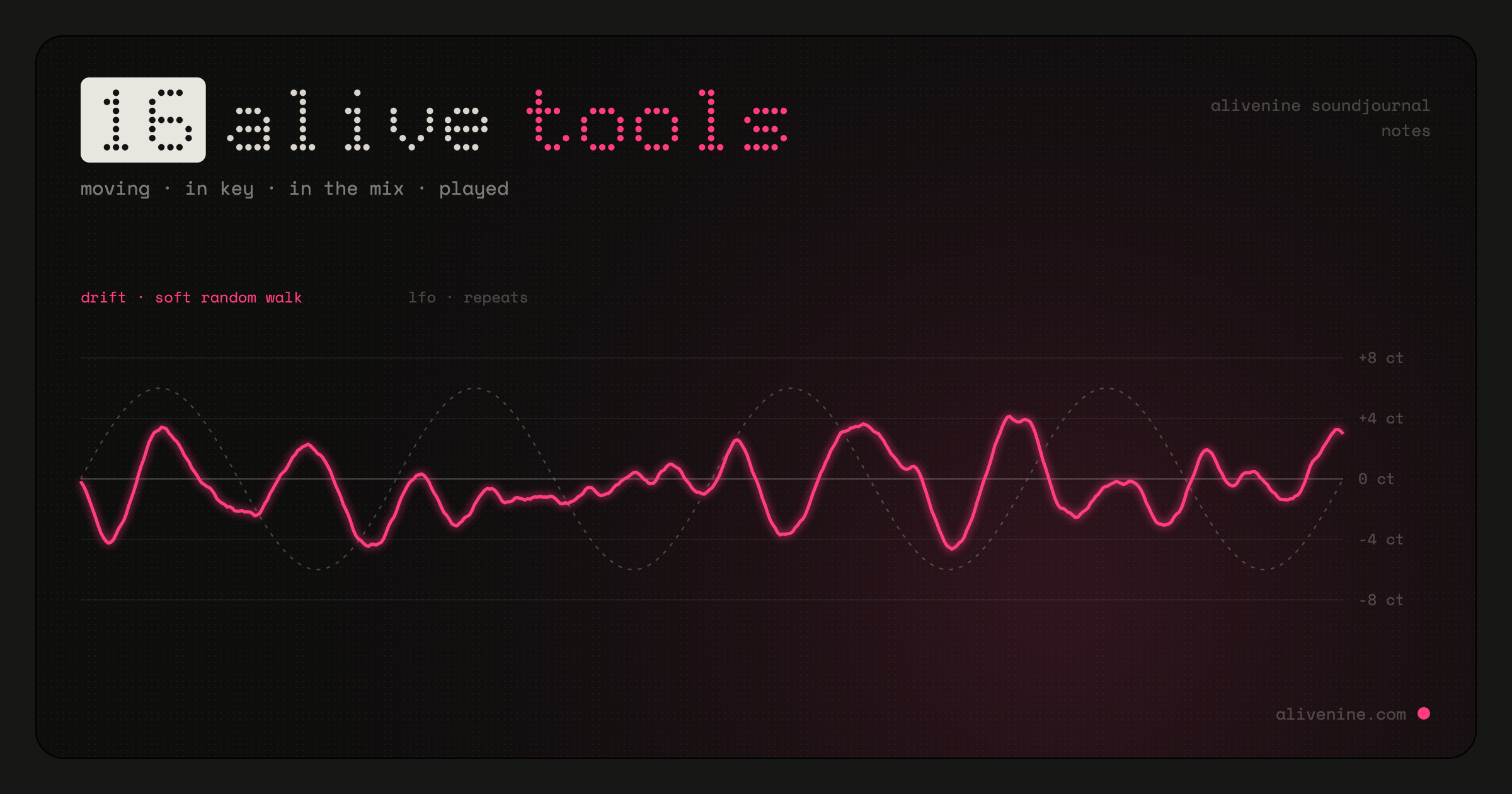
Most plugins wait for you. You open them, set them up, and they do exactly that until you change it. The alivetools work the other way. They start in a state that already sounds finished, they keep moving on their own, and they're built to be played with your hands. Here are the seven things that make them different, each with the detail behind it.
- they move by themselves: tape that wears, basses that open with the bar, pitch that drifts, drums that never hit twice the same.
- they stay in your key: chords, arps, drums, echoes and even the voice land on notes of your key.
- they sit in the mix by design, measured against finished songs.
- they're made to be played: trackpad, pressure, grabbing the tape.
- you can play them in the browser with the real plugin code, buy them once and keep every update.
1 · they move by themselves
A preset stands still. Play the same note twice and you get the same sound twice. That precision is what makes software sound like software. Every alivetool has something inside that keeps it from standing still, and each one does it in its own way.
| Tool | What moves on its own |
|---|---|
| alivetape | A finite loop of tape with a splice and worn spots. Every fault comes back at the same place on every pass, through each of the three heads in turn. Wow and flutter shift every repeat a little. |
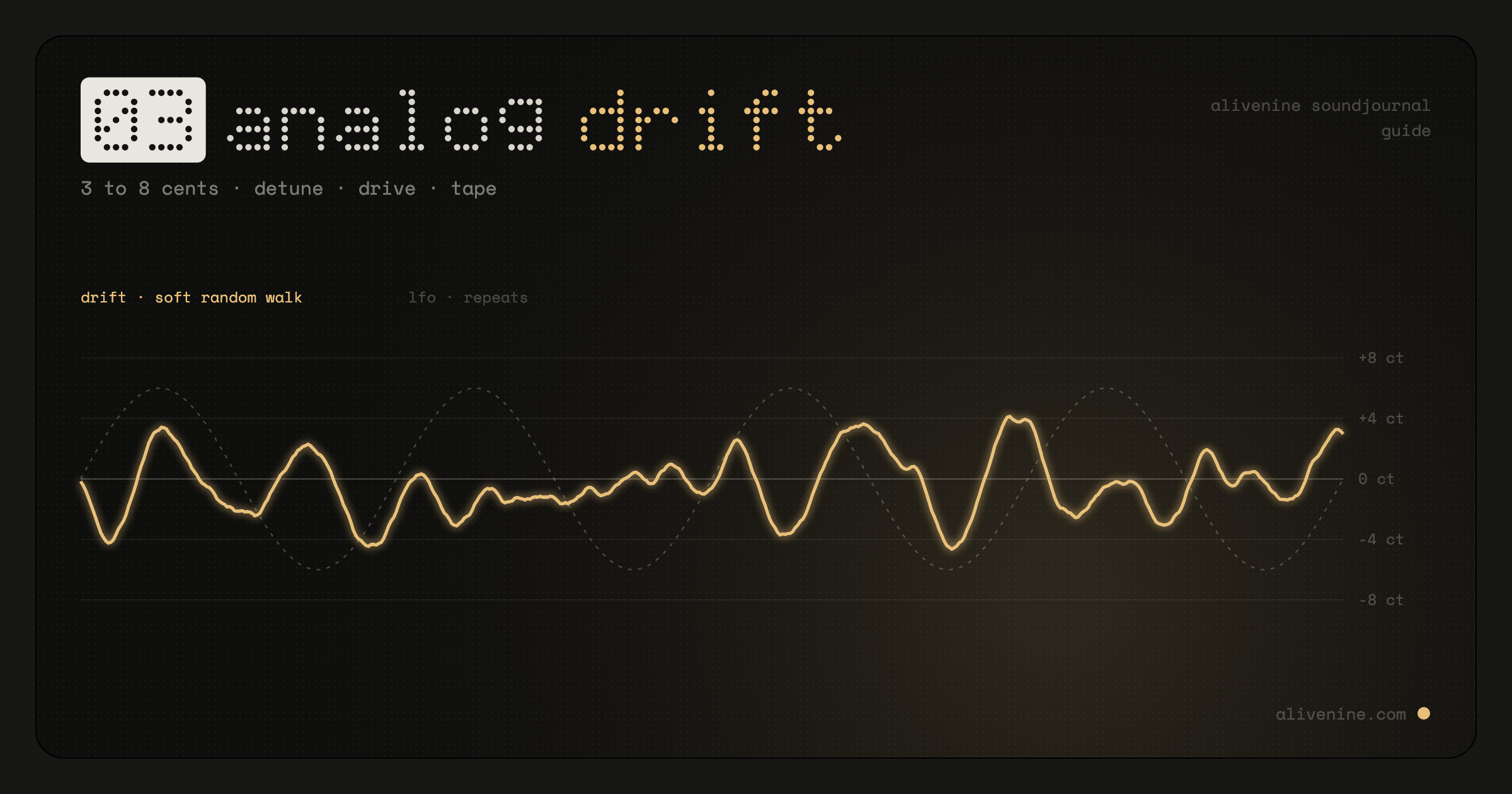
| alivedrift | Pitch follows a soft random walk in cents, never an LFO, so it never repeats. It can rest, then slip. |
| alivedrum | Every hit already moves a little in pitch, level and tone. vary adds up to 0.12 semitones and 0.6 dB on top, so a four to the floor never sounds like a loop. |
| alivebass | animate opens and closes the top with the bar, the overtones follow, and the upper band wanders from left to right over a bar. |
| alivesynth | evolve sets new targets every two bars and the sound glides there slowly. fx move changes the effect scene every four bars, never the same twice. |
| alivearp | Each pattern has 1 to 999 variations, shifted, reversed or mirrored. The rhythm stays, the notes travel. |
None of this is random noise thrown on top. Each movement is tuned so the sound stays itself. At small settings you don't hear an effect, you hear something that's alive. That's where the name comes from.
2 · they stay in your key
Set the key once, and the tools keep to it. Wrong notes are the fastest way to lose a moment, and most of them come from tools that don't know what key the song is in.
- alivesynth lays the seven chords of your key under seven pads, one for each degree, with the inversions from bottom to top.
- alivearp only knows the tones of the chord. Random notes, octave jumps and ratchets can't land wrong.
- alivedrum tunes kick and snare to your key, and the kick moves to a note at least five semitones away from the current bass note, so the two don't beat against each other.
- alivetape has harmony, which pulls the echo's feedback onto the chord tones of your key, so even chaos stays in tune.
- alivevox tunes the voice to your key, and vibe opens only the notes of one chord, so any melody you sing lands on chord tones.
- alivebass snaps every key to the scale and moves its sequence in steps of the key.
You can still leave the key on purpose. The point is that you don't leave it by accident.
3 · they sit in the mix
A lot of plugins sound huge on their own and fall apart in the track. The alivetools are measured against finished songs, so they start where they belong.
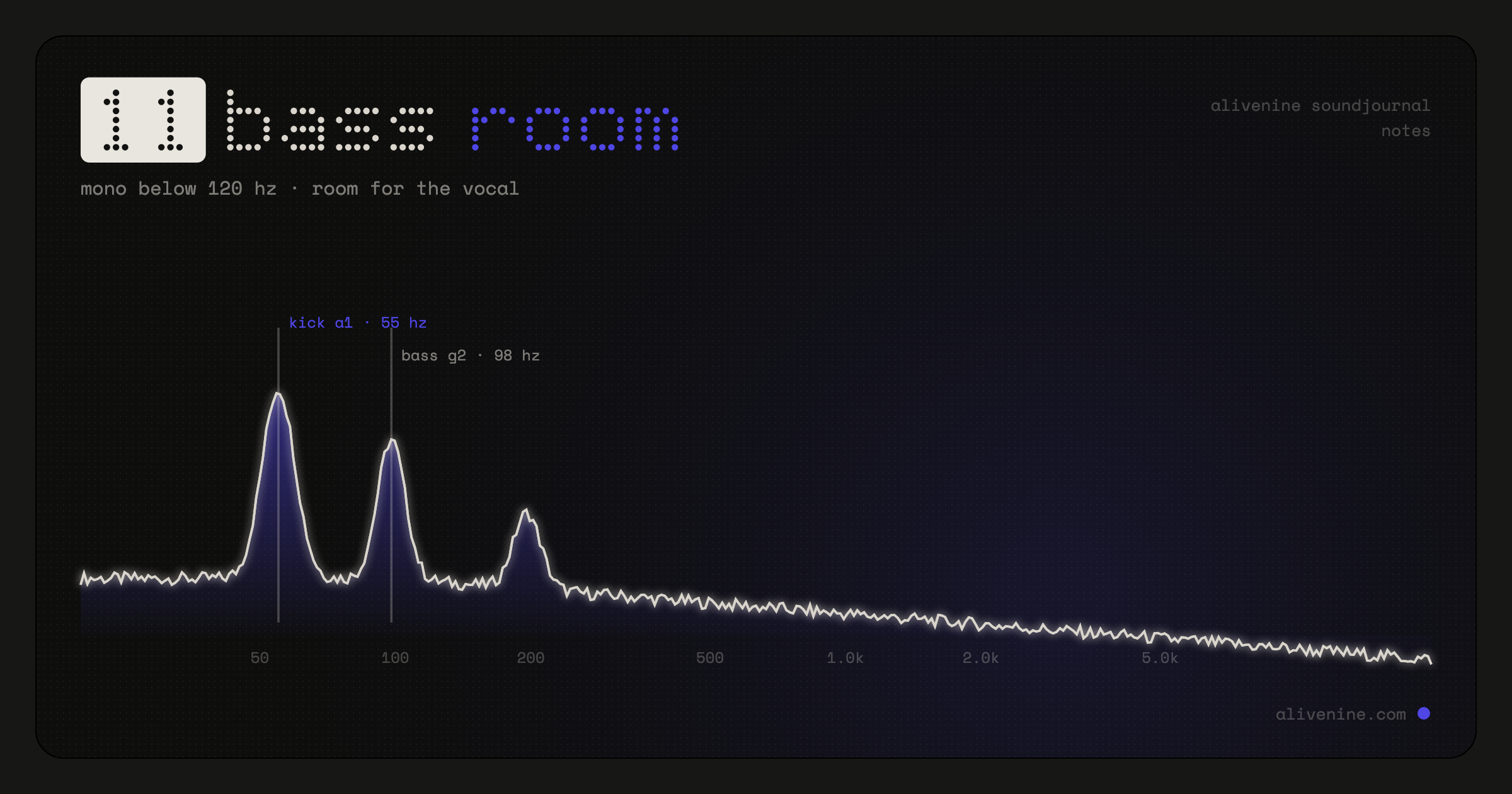
- alivebass splits every bass at 120 Hz. The low part stays mono and can duck for the kick. In the finished songs we measured, 40 to 70 percent of the energy sits under 120 Hz and only 3 to 11 percent between 250 and 500 Hz, where the body of the vocal lives. The mix fit switch keeps that range free and puts a ceiling on top.
- alivedrum measures every voice after each change and brings it to the same loudness. The kick puts almost nothing between 100 and 500 Hz, and no voice has more than 8 percent of its energy above 10 kHz, so the drums stop softly at the top instead of hissing.
- alivesynth has its oscillators, drift and pitch tuned to each other, so every chord arrives warm and full, right where a synth belongs.
The details are in a bass that leaves room for the kick and the vocal and in how to tune your kick to the key of your track.
4 · they're made to be played
A mouse is a good tool for editing and a bad one for playing. The alivetools use what's already on your desk.
- On alivesynth, the MacBook trackpad becomes the chord pads. Press harder and the sound gets brighter and louder, past half pressure vibrato comes in, press all the way to hold the chord, press hard and pull up to bend it.
- On alivedrum, the whole trackpad becomes six drum zones, several fingers at once, higher in a zone plays louder.
- On alivebass, one finger plays the notes of the key, left and right for pitch, up and down for the filter.
- On alivetape, you grab the tape in the window. Pull left and you rewind and hear the echo backwards, let go and the machine records fresh from there.
- On aliveloop, a built-in radio keeps the last 32 seconds of whatever is playing. Hear something, click once, and it's yours, tuned to your key.
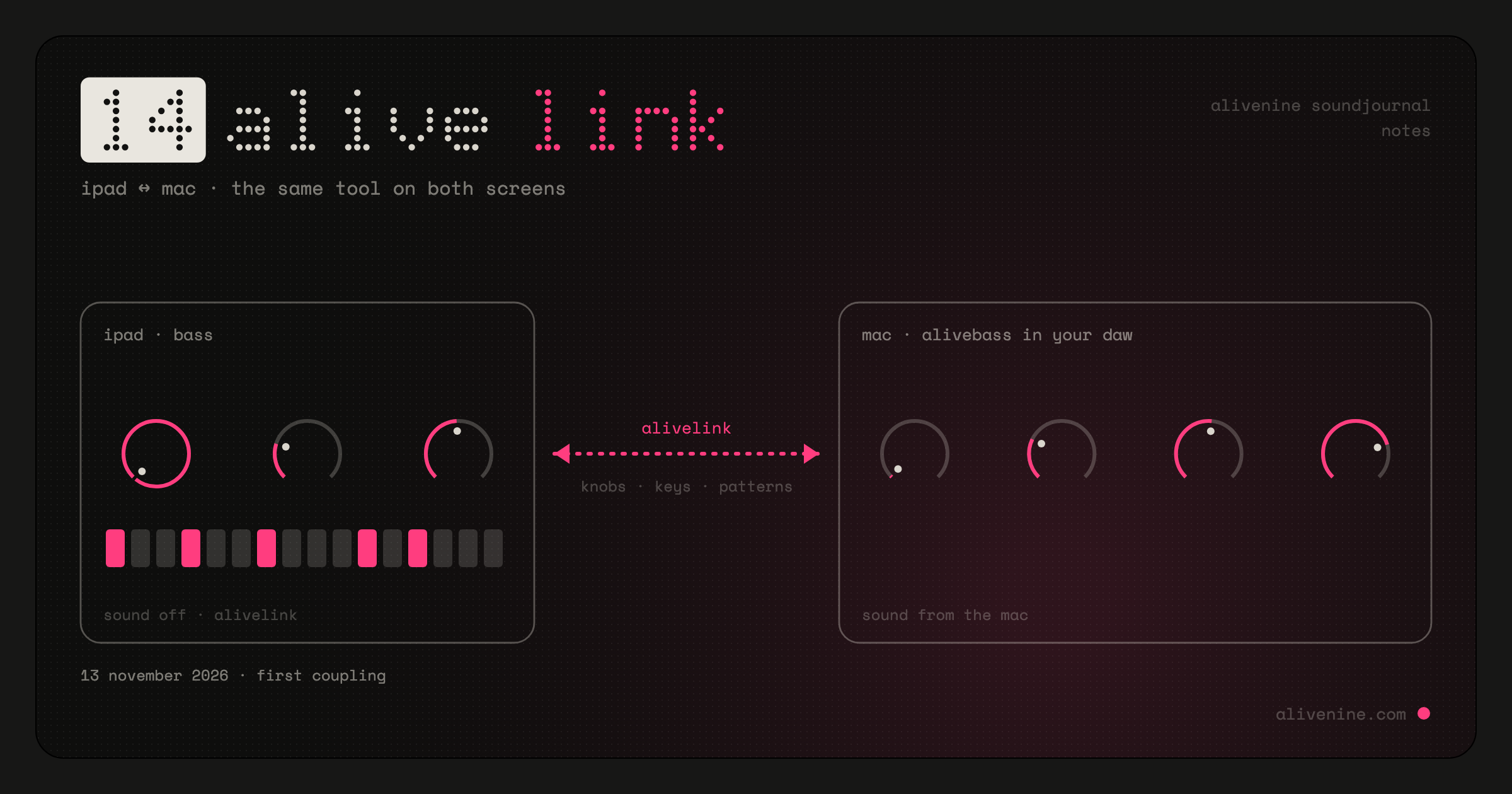
And the next step is already built: alivelink couples each tool on the iPad with the same plugin in your DAW, so you play on the glass and the plugin in your project follows. The iPad app is in testing.
5 · the real code, in the browser
Most demos are videos or a reduced web version. On alivenine.com, most tools run with the real plugin code, compiled unchanged for the browser as WebAssembly. What you hear on the alivebass page is what you hear in your DAW. You can turn every knob before you decide anything, with no download and no account.
6 · one person, from the wave up
I build the alivetools myself, from the first wave to the last pixel, and I use them in my own music. None of the instruments stands on a sample pack. The drums in alivedrum are synthesized live, the basses in alivebass come from oscillators, and the one tool that does use samples, aliveloop, samples the world through a radio instead of a library.
That has a practical side. When something sounds wrong in a track, I hear it in my own track first. The numbers in this article come from measuring finished songs and from listening.
7 · bought once, kept for good
- No subscription. You pay once per tool, or once for all of them.
- Every future update of a tool you own is free. alivehub, the 9 in the Mac menu bar, installs and updates everything.
- alivedrift, alivemeter and alivevisual are free.
- AU and VST3 for Ableton Live, Logic Pro, Bitwig and any other DAW that takes them, many tools also as their own app, and several as Max for Live devices in your Ableton library.
The shop has the current prices for each tool and for the bundle. The free tools are a good way to see whether the idea is for you.
faq
What are the alivetools?
A family of instruments and effects for music production by alivenine, as AU and VST3 plugins for the Mac, many also as standalone apps. They include alivesynth, alivebass, alivedrum, alivearp, aliveloop, alivetape and alivevox, plus the free alivedrift, alivemeter and alivevisual.
What makes the alivetools different from other plugins?
They move on their own instead of standing still, they stay in the key of your song, they're measured to sit in a mix, and they're made to be played with the trackpad. You can try them in the browser with the real plugin code.
Do the alivetools work in Ableton Live and Logic Pro?
Yes, as AU and VST3 they run in Ableton Live, Logic Pro, Bitwig and other DAWs that take those formats. Several also come as Max for Live devices.
Is there a subscription?
No. You buy each tool once, or all of them together, and every future update is free.
Can I try the alivetools before buying?
Yes. Most tools play right on alivenine.com with the real plugin code, and three tools are free.
Are the alivetools available for the iPad?
The alivetools app for iPad is in testing. It holds eight of the tools in one app and couples them with the plugins on your Mac through alivelink.
The fastest way to understand all of this is to play one. Open any alivetool in the browser and leave your hands on it for a minute.