· by max
ableton link, alivelink, midi clock: what syncs what
People ask me about "Live Link" a lot, and every time it turns out they mean a different thing. Sometimes it's Ableton Link, the shared tempo between apps. Sometimes it's alivelink, the coupling between a tool on the iPad and the same plugin in your DAW. Sometimes it's plain MIDI clock over a cable. They all keep things together, but they carry different information, and picking the wrong one is why setups drift, stutter or start a beat late. Here is what each one sends, which direction it goes, and three setups I'd build with them.
- ableton link shares tempo, beat and phase between apps on a local network. there's no master, anyone can change the tempo.
- midi clock sends 24 ticks per quarter note from one master to its followers, plus start, stop and song position.
- mtc carries a time position in hours, minutes, seconds and frames. mmc carries transport commands like play, stop and record. neither one carries tempo.
- alivelink carries no tempo at all. it couples one alivetool on the ipad with the same plugin in your daw, and the sound comes from the mac.
- most setups need two of these at once: one for time, one for control.
four names that get mixed up
The confusion is understandable. Ableton's DAW is called Live, Ableton's sync technology is called Link, and our coupling is called alivelink. Say "Live Link" out loud and it could be any of them. There's also no product called Live Link in this context, so it's worth sorting the words once:
- Ableton Link is a free technology from Ableton that many apps and some hardware build in. It shares a tempo and a beat grid over wifi or Ethernet.
- MIDI clock is part of the MIDI standard since 1983. A master sends a steady stream of ticks, the followers count them.
- MTC and MMC are two other parts of MIDI. MIDI Time Code says where in time you are. MIDI Machine Control says what the transport should do.
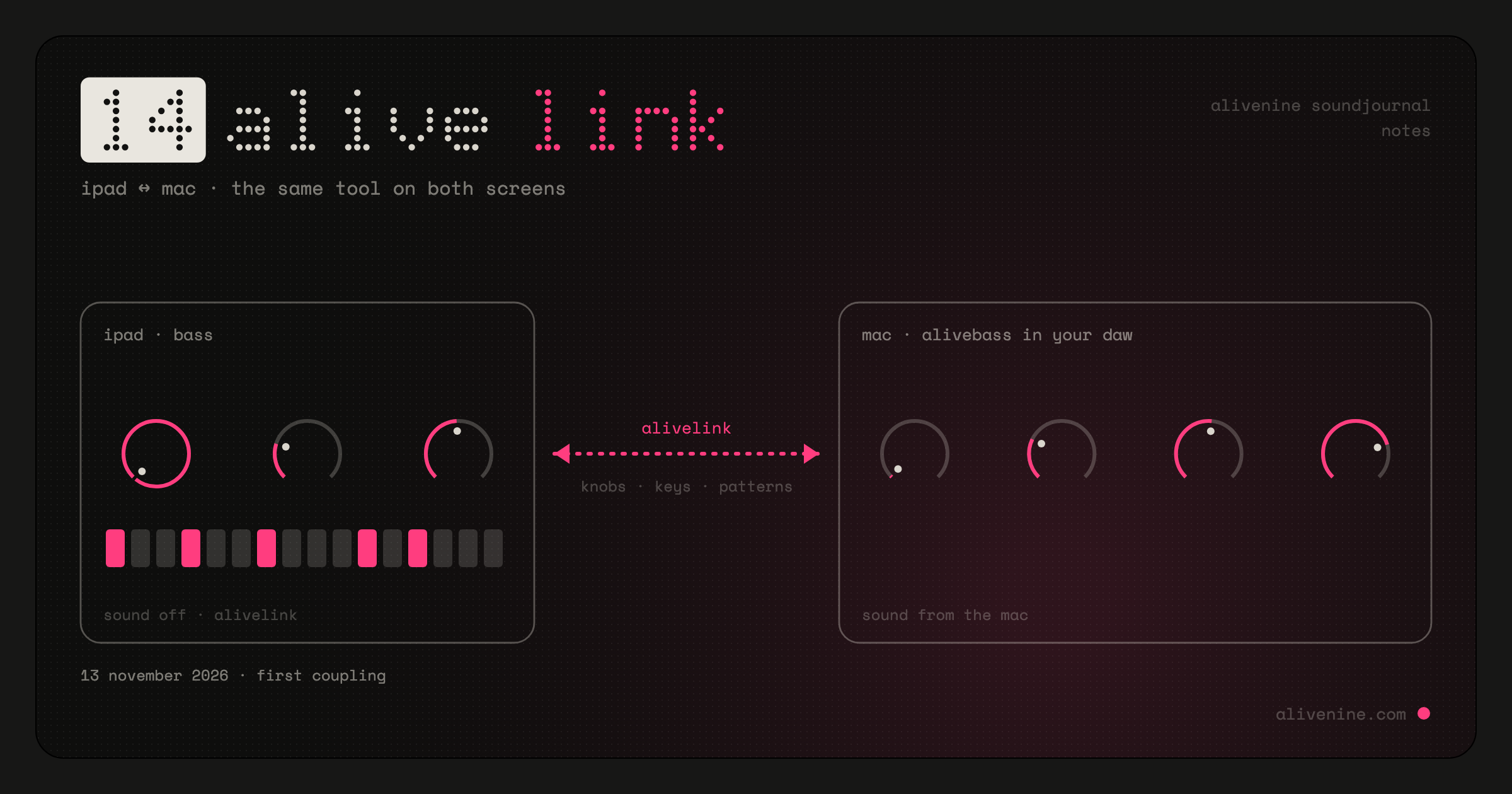
- alivelink is the coupling I built between the alivetools app on the iPad and the alivetools plugins on the Mac. It carries knobs, notes and the state of one tool.
Three of these are about time. One is about control. That difference matters more than any setting.
the comparison at a glance
| Ableton Link | MIDI clock | MTC | MMC | alivelink | |
|---|---|---|---|---|---|
| What it carries | Tempo, beat, phase, optional start and stop | 24 ticks per quarter note, start, stop, continue, song position | Time position in hours, minutes, seconds, frames | Transport commands: play, stop, record, locate | Knobs, notes, live values and the full state of one tool |
| Direction | Everyone with everyone | One master to many followers | One source to followers | One controller to devices | Both ways between one iPad tool and one plugin |
| Connection | Local network, wifi or cable | DIN cable, USB, network MIDI, Bluetooth MIDI | Any MIDI connection | Any MIDI connection | Local wifi network |
| Master | None | Yes, exactly one | Yes | The sender | The plugin in the DAW holds the project |
| Timing | Stable on a good network, apps start on the next bar | Tight on a cable, can jitter over wifi | Tight on a cable | Commands, timing isn't the point | Made for playing and turning, not for tempo |
| Good for | Apps and laptops playing together | Hardware, drum machines, sequencers | Film, video, tape machines | Starting the DAW from a controller | Playing an alivetool in your project from the iPad |
ableton link
Link keeps several apps on one shared beat. You switch it on in each app, and as long as they are on the same local network, they find each other on their own. There is no setup page with IP addresses and nothing to pick as a destination.
What makes Link different from older sync is that there is no master. Every app in the session can change the tempo, and the others follow. If two people move the tempo at the same time, the last change wins. Phase is kept in line automatically: when you join a running session, your app waits for the right spot in the bar, so downbeats meet. That spot is set by the quantum, usually one bar.
Start and stop are a separate option. Apps only share play and stop when both have it switched on, and joining a session never starts or stops anyone. This is on purpose. In a jam, you don't want your loop to start because somebody else pressed play.
What Link doesn't do
- It carries no notes, no controllers and no audio.
- It has no song position. Link knows where the beat is, not that you are in bar 37 of the chorus.
- It needs a network. Two apps on the same device also work, but devices that aren't on one network can't join.
In Live, the Link switch sits in the control bar. If you don't see it, it's under Settings, Link, Tempo and MIDI. The full details are in Ableton's manual chapter on Link and MIDI sync, and the list of apps that support it is on ableton.com/link.
There's more about how Link works in practice in what is Ableton Link.
midi clock
MIDI clock is the oldest of these, and it's still the one most hardware speaks. The master sends a timing clock message 24 times per quarter note. At 120 BPM that is 48 messages per second. The follower counts them and runs its sequencer from that count. It doesn't receive a tempo number. It works the tempo out from how fast the ticks come.
Besides the ticks, there are three transport messages: start (play from the beginning), stop, and continue (play from where you stopped). The Song Position Pointer tells the follower where to continue from, counted in sixteenth notes, which is six clocks each. With it, a drum machine can jump to bar 9 when your DAW does.
The rules of MIDI clock
- There is always exactly one master. Two masters sending into one device give you a mess.
- The follower can't change the tempo. You change it on the master.
- Over a DIN cable or USB, clock is tight. Over wifi, single ticks can arrive late or in clumps, and a follower that reacts to every tick will wobble. Some devices smooth this out, some don't.
- Clock is MIDI, so it goes through every MIDI connection: DIN, USB, network MIDI in Audio MIDI Setup on the Mac, Bluetooth MIDI.
The message list is on midi.org's summary of MIDI 1.0 messages.
mtc and mmc
These two show up in DAW settings next to clock and get confused with it all the time.
MIDI Time Code carries a position in hours, minutes, seconds and frames, the same way SMPTE timecode does on film and video. It doesn't know about beats or tempo. A follower that gets MTC knows that it's at 00:01:12:05 and plays its material from there. That's what you want when music has to match a picture or an old tape machine. For a drum machine that has to swing with your track, MTC is the wrong tool.
MIDI Machine Control is a set of commands: play, stop, record, fast forward, rewind, locate. It's the remote control of the transport. It doesn't keep anything in time, it only tells the DAW what to do. In Logic Pro, you switch it on under File, Project Settings, Synchronization, MIDI, Listen to MMC Input. A controller that sends MMC can then start and stop Logic.
A simple way to keep them apart: clock says how fast, MTC says where, MMC says go.
alivelink
alivelink is a different kind of thing. It doesn't share a tempo between apps. It couples one alivetool on the iPad with one instance of the same plugin running in your DAW on the Mac. After that, the iPad is a second face of the plugin in your project.
This is what goes across, taken from how the coupling is built:
- When you couple, the plugin sends its whole state to the iPad once, so both sides start equal.
- After that, every knob moves live in both directions. Automation in your project moves the knob on the iPad too.
- Keys and pads on the iPad play the plugin on the Mac.
- Values the tool writes straight into the sound, like grabbing the tape in alivetape, go across many times per second.
- Patterns, sequences and other state outside the knobs go across when they change.
The coupled tool on the iPad goes silent. The sound comes from the Mac, through your mix, so nothing is recorded twice. And because the plugin runs inside your DAW, it follows the DAW's tempo the way any plugin does. That's why alivelink doesn't need to carry tempo: the time already comes from the project.
The plugins on the Mac find the iPad on their own when both are in the same wifi network. On the iPad, you tap the link button, pick the instance in your project, and the tool couples. So far it's tested with Ableton Live. The alivetools app for iPad is in testing before the App Store, and all of this is described in more detail in alivelink: the same tool on your iPad and in your DAW.
Inside the iPad app, Ableton Link is ready in the code, but the store version comes without it until Ableton's license for closed apps is in place. Until then, the app follows or sends MIDI clock, with start, stop and song position.
three setups, step by step
1 · iPad, Mac and DAW
You want to play alivebass from the iPad while your track runs in Live.
- Put alivebass on a track in Live on the Mac.
- Open the alivetools app on the iPad, in the same wifi network.
- Tap the link button and pick the alivebass in your project. It couples.
- Play. The notes and knobs go to the plugin, the sound comes from the Mac, and the plugin is in time because it runs in Live.
- If you also want another tool on the iPad to run on its own, in time with Live, send MIDI clock from Live to the iPad: in Live's settings under Link, Tempo and MIDI, switch on sync for the output that reaches the iPad, for example a network MIDI session. In the app, set the clock to follow.
One sync for control, one for time. That's the pattern for most setups.
2 · two laptops
Two people, two laptops, one groove.
- Put both laptops in the same network. A cable between them or a quiet wifi is best.
- Switch on Link in both DAWs or apps. Each shows how many others are connected.
- Set the tempo on either one. The other follows.
- Decide whether start and stop should be shared. For a jam, leave it off and let each person start on the next bar. For a set where both play the same arrangement, switch it on in both.
If one laptop runs software without Link, use MIDI clock over a network MIDI session instead, with one laptop as the master. Keep in mind that clock over wifi can wobble a little, which Link doesn't.
3 · groovebox and iPad
A groovebox runs the beat, the iPad plays chords and bass on top.
- Connect the groovebox to the iPad, usually with USB through the camera adapter or with a small USB MIDI interface.
- In the groovebox settings, switch on clock out. The name of that setting depends on the device.
- In the alivetools app, set the clock to follow the groovebox.
- Press play on the groovebox. The app starts with it and follows its tempo, start, stop and song position.
- If you want the groovebox to play tools in the app, set MIDI in to one track per channel. The groovebox can play synth on channel 1 and bass on channel 2.
On a stage, I'd always pick the cable here over wifi. A clock that comes through a cable doesn't care how many phones are in the room.
when things drift
| What you hear | Likely reason | What helps |
|---|---|---|
| The follower is a beat late or early on start | Start and stop not shared, or one device starts on the next bar | Share start and stop in Link, or use clock with start messages from one master |
| The tempo wobbles | Clock over a busy wifi | Use a cable, or switch to Link between apps |
| Two devices fight over the tempo | Two clock masters | Switch clock out off on all but one |
| Everything is in time, but the sound is late | Audio latency, not sync | Lower the buffer size, or set a sync offset in the DAW |
| The transport starts, the pattern doesn't line up | MMC or MTC used where clock was needed | Use clock for anything with beats |
The last one catches a lot of people. Sync tells devices when the beat is. How long the sound takes to come out of the speaker is a separate question, and the buffer size in your audio settings is usually the answer.
faq
What is the difference between Ableton Link and MIDI clock?
Link shares tempo, beat and phase between apps on a network, with no master, and everyone can change the tempo. MIDI clock sends 24 ticks per quarter note from one master to its followers, plus start, stop and song position, over any MIDI connection, including cables to hardware.
Is there something called Live Link?
Not as a product in this context. People usually mean Ableton Link, the sync built into Live and many apps, or alivelink, the coupling between the alivetools app on the iPad and the alivetools plugins on the Mac.
What is the difference between MIDI clock and MTC?
MIDI clock carries tempo as a stream of ticks and is made for music with beats. MTC carries a position in hours, minutes, seconds and frames and is made for matching music to picture or tape. MTC doesn't know the tempo.
Does alivelink sync the tempo?
No. alivelink couples the controls, notes and state of one tool. The coupled plugin runs in your DAW and follows its tempo like any plugin, and the sound comes from the Mac.
How do I sync an iPad with my Mac?
For tempo, use MIDI clock from the DAW to the iPad, or Link where both apps support it. To play an alivetool in your project from the iPad, couple it with alivelink. Many setups use both.
Is Link or MIDI clock better for live playing?
Between apps and laptops, Link is easier and stays steady on a good network. For hardware, MIDI clock over a cable is the safe choice, because most drum machines and synths speak clock.
If you want to hear what a clock does to a pattern, the step sequencer guide lets you play with steps and swing right in the page.