· by max
how to make arpeggios that move a track
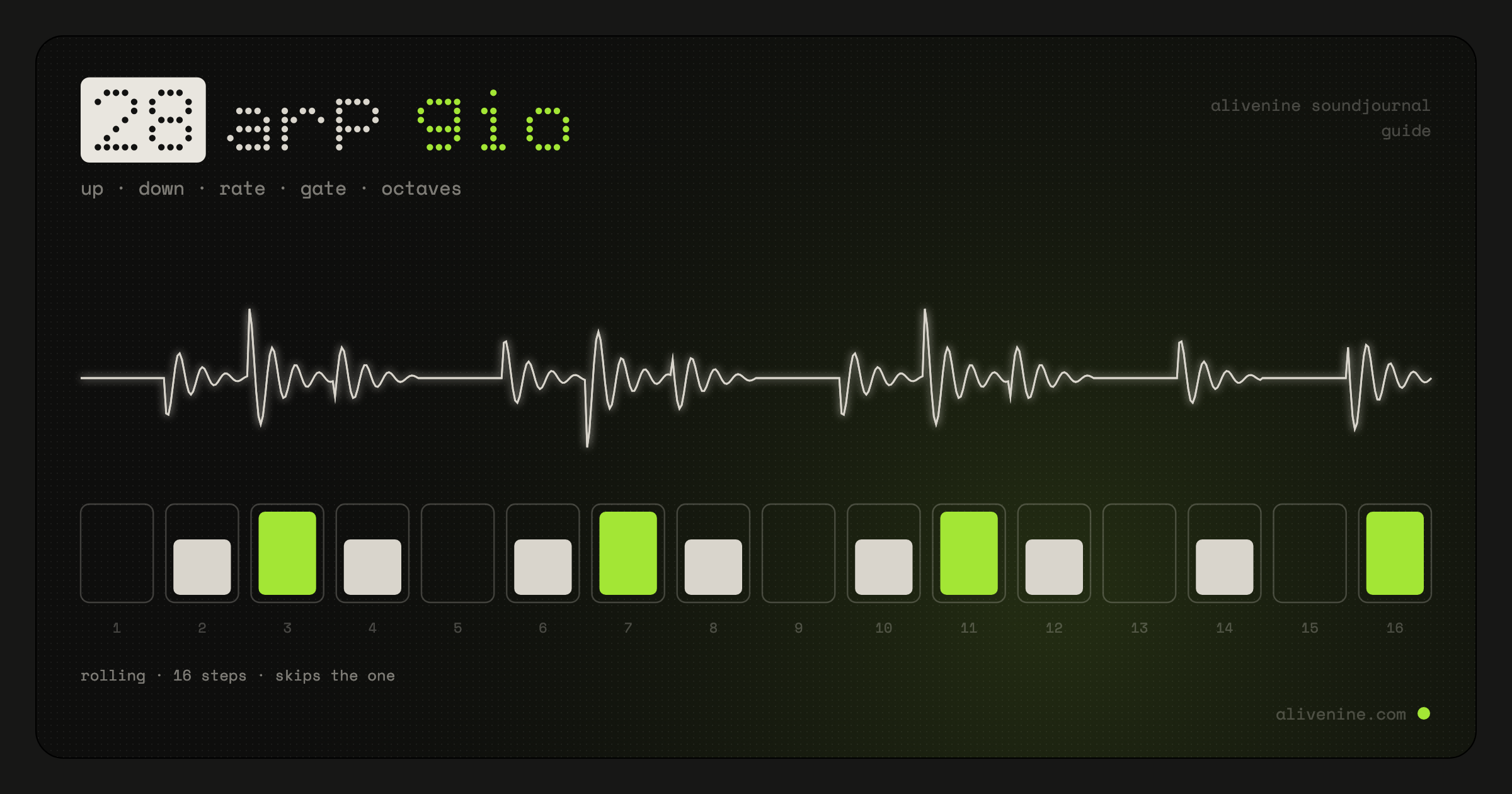
An arpeggio is a chord played one note after the other. You hold three keys and hear a line that runs through them, up, down, back and forth, in time with the song. That one idea carries a lot of electronic music. It turns a chord that would sit still into something that pulls the track forward. Below is how an arpeggiator works, which settings change the feel, and a set of patterns written out note by note, so you can program them by hand or check what your arp is doing.
- an arpeggiator takes the notes you hold and plays them as a sequence: the order is the pattern, the speed is the rate, the note length is the gate.
- rate and gate change the feel more than the pattern does. the same up pattern sounds like a pulse at a short gate and like a pad at a long one.
- octave range makes an arp bigger. inversions often sound better than octave jumps because the line stays close.
- a pattern of three notes against a bar of sixteen steps lines up again only after three bars. that's where a lot of the movement in an arp comes from.
- every daw has an arpeggiator built in. alivearp only plays chord tones of your key, so random notes and octave jumps can't land wrong.
what an arpeggio is
The word comes from the Italian for playing the harp: the notes of a chord come one by one instead of all at once. Guitarists do it when they pick a chord string by string, pianists when the left hand rolls through a chord. A synth arpeggiator does the same thing with a clock behind it. It watches which keys you hold, puts their notes in an order, and plays that order again and again in time with the tempo.
Three things define any arpeggio. Which notes are in it, which order they come in, and the rhythm they come on. The notes come from your hands, or from a chord the arp builds for you. The order is the pattern. The rhythm is the rate, shaped by gate, swing and accents. When an arp sounds boring, one of these three is usually standing still for too long.
An arp is a close relative of the step sequencer. A sequencer stores fixed notes on fixed steps. An arp stores only a rule and fills in the notes from whatever you play. Change the chord, and the whole line follows on the next step. If you want the background on steps and grids, what is a step sequencer covers it.
the settings that matter
Arpeggiators look different from plugin to plugin, but they share the same handful of controls. This is what each one does to the sound.
| Setting | What it does | Where to start |
|---|---|---|
| Pattern, mode or style | The order of the notes: up, down, up and down, random, in the order you pressed them | Up, then try up and down |
| Rate | How fast the notes come, synced to the tempo: 1/8, 1/16, 1/32, and triplets | 1/16 for a pulse, 1/8 for a melody |
| Gate | How long each note lasts, as a share of one step | Around 50 percent |
| Octave range | How many octaves the pattern climbs before it starts again | 1 or 2 |
| Swing | Pushes every second step a little later | Off, then a little |
| Hold or latch | Keeps the arp running after you let go of the keys | On while you play other parts |
| Accent or velocity | Some steps louder than others | On the first step of each group |
| Ratchet | Splits one step into two or three fast hits | Rarely, as a fill |
Two of these deserve a closer look. The gate is the one most people never touch, and it's the one that changes the character most. At 10 to 30 percent every note is a short pluck, with space between the notes, and the pattern reads as rhythm. At 90 to 100 percent the notes touch each other, the line turns legato and starts to sound like one moving sound. A filter envelope reacts to this as well: a short gate never lets the envelope reach its sustain, so the notes stay brighter at the start and darker overall.
Hold is the other one. With hold on, you press a chord once and your hands are free. You can turn the filter, play a bass line underneath, or change the chord by pressing new keys. Without hold, the arp stops the moment you let go, which is good for playing phrases and bad for anything else.
patterns, note by note
Here is an A minor chord, A3, C4 and E4, run through the common patterns. One octave first, so you can see the order itself. Read the rows left to right and loop them.
| Pattern | Notes, one octave | Length of the loop |
|---|---|---|
| Up | A3 C4 E4 | 3 steps |
| Down | E4 C4 A3 | 3 steps |
| Up and down, no repeat at the ends | A3 C4 E4 C4 | 4 steps |
| Up and down, top and bottom repeated | A3 C4 E4 E4 C4 A3 | 6 steps |
| Outside in | A3 E4 C4 | 3 steps |
| Pedal on the root | A3 C4 A3 E4 | 4 steps |
| As played, pressed E, A, C | E4 A3 C4 | 3 steps |
Notice the third column. Up and down without repeats makes a loop of four steps, which fits a bar of sixteenths cleanly. The simple up pattern makes a loop of three, which doesn't. That difference is the subject of the section on feel, because it's one of the strongest tools you have.
Now the same chord over two octaves, which is where an arp starts to sound big:
| Pattern | Notes, two octaves | Steps |
|---|---|---|
| Up | A3 C4 E4 A4 C5 E5 | 6 |
| Down | E5 C5 A4 E4 C4 A3 | 6 |
| Up and down | A3 C4 E4 A4 C5 E5 C5 A4 E4 C4 | 10 |
| Up with a seventh, Am7 | A3 C4 E4 G4 A4 C5 E5 G5 | 8 |
Adding the seventh, G, does two things at once. The chord gets softer and more open, and the loop grows to four notes per octave, so it fits the grid again. That's a reason many arps sound good with seventh chords: four notes, four sixteenths, one beat per octave.
Octave jumps are not the only way to make an arp wider. An inversion keeps the line close and still moves it up. Instead of A3 C4 E4 A4, try C4 E4 A4 C5, then E4 A4 C5 E5. Each version starts on the next note of the chord. In a song, moving through the inversions over a few bars sounds like a melody climbing, while a two octave jump on every pass can sound mechanical. The chord article chords that are never wrong shows the same idea from the side of the harmony.
rate, in milliseconds
The rate is a note value, but it helps to know what it means in time, especially when an arp feeds a delay or when you set the decay of the sound. The step length in milliseconds is 60000 divided by the tempo, then divided by how many steps fit in one beat.
| Rate | Steps per beat | Steps per 4/4 bar | At 120 BPM |
|---|---|---|---|
| 1/4 | 1 | 4 | 500 ms |
| 1/8 | 2 | 8 | 250 ms |
| 1/8 triplet | 3 | 12 | 167 ms |
| 1/16 | 4 | 16 | 125 ms |
| 1/16 triplet | 6 | 24 | 83 ms |
| 1/32 | 8 | 32 | 62.5 ms |
Sixteenths are the default for a reason. At most dance tempos they're fast enough to feel like a pulse and slow enough to hear every note. Eighths turn the same pattern into something you could sing. Triplets change the ground under the whole track: a 1/16 triplet arp over a straight beat rolls instead of ticking. Thirty seconds are mostly for short bursts, a fill before a drop, or a texture where single notes blur.
A practical detail: set the decay of the sound to roughly the step length or a little longer. At 125 ms per step, a decay around 100 to 200 ms keeps the notes separate. A long release on every note smears a fast arp into a wash, which can be good on purpose and bad by accident.
making it feel played
An arp is a machine, and that's part of its sound. The trick is to keep the precision and still give it a shape. These are the moves that do the most.
let the pattern run against the bar
A three note pattern on sixteenths repeats every three steps. The bar has sixteen. So the accent of the pattern lands on a different beat each time around. The pattern and the beat meet again after three beats, and the pattern and the full bar only after three bars, because 48 is the first number both 3 and 16 divide into. The ear hears a line that keeps shifting while nothing actually changes. A five note pattern against sixteen steps takes five bars to come home. You get this for free by holding a chord with three or five notes on an up pattern. Holding four notes gives you the opposite, a pattern locked to the beat, which is better for a driving bass arp.
shape it with the gate and accents
Rhythm in an arp doesn't have to come from the rate. Keep the rate at sixteenths and make some steps long and some short, or loud and soft. An accent on every third step over a four step pattern makes another cross rhythm. Many arps have a gate or velocity lane for this. If yours doesn't, record the arp to MIDI and edit the note lengths by hand.
use rests
A step that doesn't play is part of the pattern. Dropping one or two notes per bar makes space for the vocal or the snare, and the notes that are left get more weight. A step sequencer is better at this than most arps, which is why many producers record an arp to MIDI and then delete notes.
move the filter, slowly
The most common way to make a static arp breathe is the filter cutoff. Open it over eight or sixteen bars and close it again. The notes stay the same, the brightness tells the story. A little resonance makes the movement easier to hear. A filter envelope with a short decay on top gives every note its own small pluck.
a little swing, if the track has it
Swing pushes every second step later. On sixteenths, a small amount is enough to loosen an arp that sounds stiff against a swung drum groove. If the drums are straight, keep the arp straight, otherwise the two parts fight. Swing and triplets don't mix: a triplet grid already has its own lilt.
arps in ableton live and logic pro
You don't need a plugin to start. Both big DAWs on the Mac have an arpeggiator built in.
Ableton Live has the arpeggiator MIDI effect. Put it on a MIDI track in front of the instrument. The style chooser sets the pattern, with the standard ones like up, down, converge and diverge, plus play order, chord trigger and three random modes. Rate can follow the tempo or run free in milliseconds. Gate is a percentage of the rate, and above 100 percent the notes overlap. Distance and steps transpose the pattern in semitones or scale steps over several passes, which is Live's version of octave range. Hold keeps it running after you let go.
Logic Pro has the arpeggiator MIDI plugin. It goes into the MIDI FX slot of a software instrument channel. Play and latch are at the top, the note order sets the pattern and its variations and inversions, and there are settings for octave range and rate. Further groups for pattern, options and keyboard hold the deeper controls, like a step pattern with its own note lengths and velocities.
In both, a good habit is to record the arp output as MIDI once you like it. Then you can edit single notes, delete steps and move things, which an arpeggiator by itself can't do.
alivearp
I built alivearp because I wanted sequences that touch me, lines with a direction instead of a loop that only goes up and down. It's an instrument with its own sound and an arpeggiator in one, as AU and VST3 for the Mac and as VST3 for Windows in beta. It also plays in the browser on its page, with the real plugin code.
one key, a chord from your key
Set key and scale once. One key on the keyboard then builds a chord from that key, and the harmony control decides which: fifths, triads, sus4, 7th or 9th. Several keys at once play exactly your chord. alivearp only knows chord tones. That's why random, octave jumps and ratchets can't produce a wrong note, they only choose between notes that belong.
patterns and variations
There are ten patterns: up, down, up-down, pedal, jump, steps, cascade, gallop, octave and motif. Each one has variations from 1 to 999. A variation moves the start, reverses or mirrors the line, starts on the third or fifth, opens the voicing, adds octave jumps, a pedal note, gaps, accents or ratchets. The rhythm of the bar stays, only which chord tone comes when changes. So you can step through variations live and the groove stays under you.
the rhythm controls
rate goes from 1/4 to 1/32 with triplets at 1/8 and 1/16. gate runs from very short to legato. swing, accent and length sit next to it. length is auto or 2 to 16 steps, and odd lengths give you the shifting pattern from the section above without any math. octaves spans 1 to 4. random swaps in a neighbouring chord tone, an octave jump or a rest, and keeps that change for two passes so it sounds like a decision. ratchet turns single steps into two or three fast hits.
deeper, if you want it
Behind the main controls sits a second row, all off by default. euclid spreads hits evenly over a bar, from 3 in 8 to 13 in 16. rotate shifts the rhythm against the bar. repeat plays each note one to four times. mutate lets the pattern grow pass by pass, and freeze keeps the grown version, also in the saved project. phrase swaps the pattern for one of sixteen built riffs. slide glides into the next note, and sweep opens and closes the filter over eight bars, also sent out as CC 74 for other synths.
playing it
hold keeps the chord running. Pressing a key hard does the same: aftertouch on a keyboard, Force Touch on the MacBook trackpad, or a double click on the key in the window. Dragging a key sideways bends the pitch by up to two semitones and glides back when you let go. In the window itself, dragging up adds energy with more ratchets and octaves, left makes a stutter, right jumps live between variations.
alivearp has its own sound, but it can also drive any other synth. In Ableton, put it on one track, switch the own sound off, and route its MIDI into the track with your synth. The standalone app shows up on the Mac as a MIDI source called alivearp, so the same works in other DAWs and with hardware through a MIDI interface. In Logic it runs as an instrument with its own sound. For other instruments in Logic, the app as a MIDI source is the way for now.
For the chords underneath, alivesynth lays the chords of your key under seven pads. And how to use a synthesizer explains the filter and envelope that shape every arp note.
faq
What is an arpeggiator?
An arpeggiator takes the notes you hold and plays them one after the other in a pattern, synced to the tempo. The pattern sets the order, the rate sets the speed and the gate sets how long each note lasts.
What is the difference between an arpeggio and a chord?
A chord plays its notes at the same time. An arpeggio plays the same notes one after the other. A C major chord is C, E and G together. As an arpeggio, it's C, E, G, C, E, G in time.
What rate should an arp be?
1/16 is the common starting point for a pulse at dance tempos. 1/8 is slower and more melodic. Triplets make the line roll against a straight beat. At 120 BPM, a sixteenth is 125 ms.
Why does my arpeggiator sound robotic?
Usually because everything is fixed at once: same gate, same velocity, same filter. Shorten or lengthen the gate, add accents, leave out a step, move the filter slowly over several bars, or use a pattern with three or five notes so it shifts against the bar.
How do I make an arpeggio in Ableton Live or Logic Pro?
In Ableton Live, put the arpeggiator MIDI effect in front of an instrument and hold a chord. In Logic Pro, insert the arpeggiator in the MIDI FX slot of a software instrument. Both have pattern, rate, gate and hold, and you can record the result as MIDI.
Can an arpeggiator play wrong notes?
A normal arpeggiator plays exactly the notes you hold, so a wrong key gives a wrong note. Random and octave modes only reshuffle those notes. alivearp builds its chords from the key you set and only plays chord tones, so its random and octave moves stay in key.
The quickest way to hear all of this is to play it. Open alivearp in the browser, hold one key, and step through the patterns and the rate.