· by max
a free loudness meter for mac, and what the numbers mean
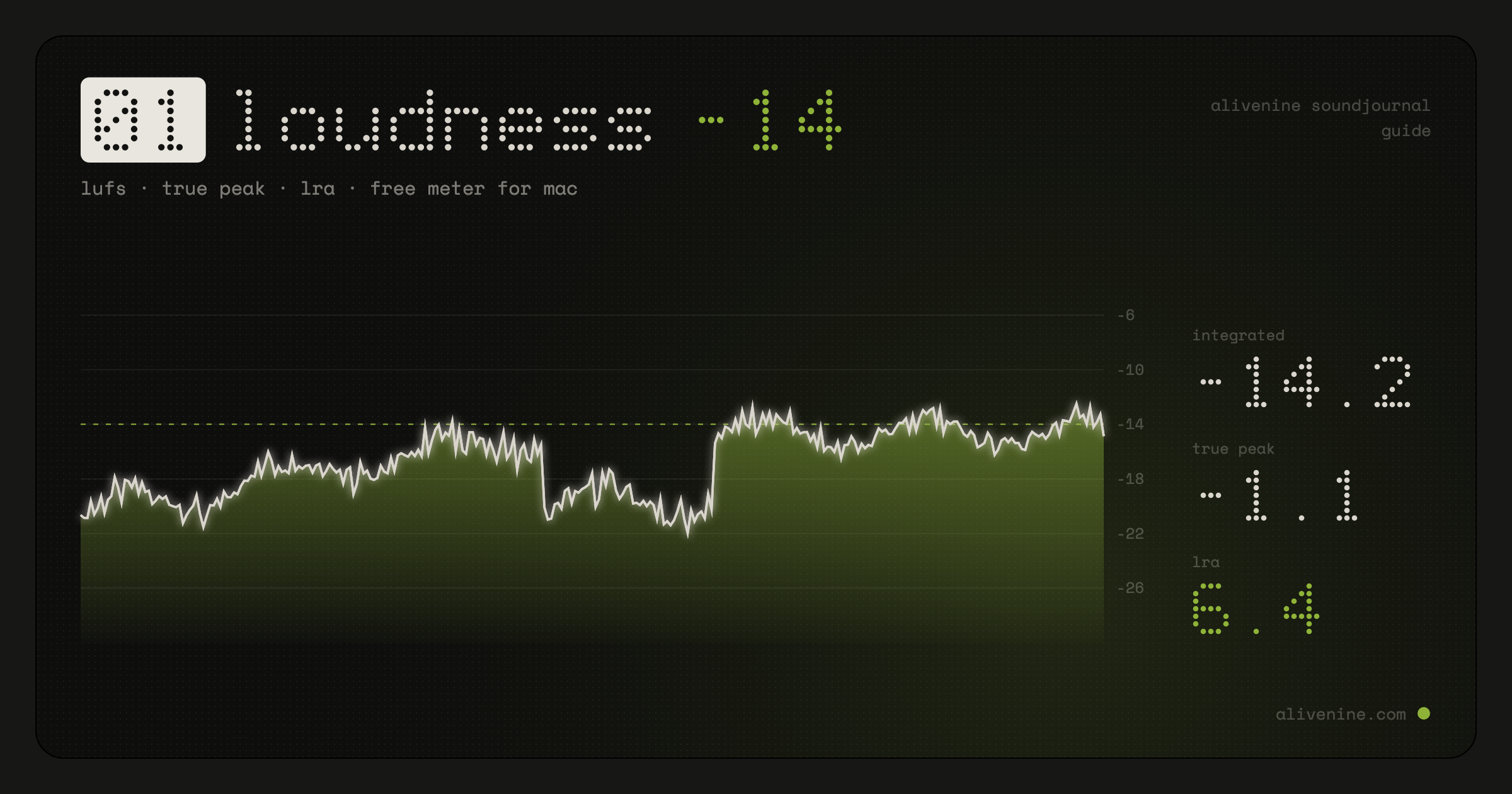
A loudness meter shows a handful of numbers, and each of them answers a different question. Below are all of them, with values to aim for, and the free meters that run on a Mac today. One of them is alivemeter, which I build and give away.
- loudness is measured in lufs. it follows how loud music feels, not how high the peaks are.
- integrated is the whole song, short-term the last 3 seconds, momentary the last 400 ms.
- for streaming, around -14 lufs integrated and a true peak under -1 dbtp is a safe start. louder is allowed, it just gets turned down.
- true peak catches the overs that a normal peak meter misses between samples.
- lra tells you how much the song moves in loudness. a small number is not a goal on its own.
what a loudness meter measures
A peak meter shows the highest point of the wave. That tells you when something will clip, and almost nothing about how loud it sounds. A short snare hit can peak at 0 dB and still feel quiet. A dense synth pad at -8 dB peak can feel twice as loud.
Loudness meters solve that with a measurement defined in ITU-R BS.1770. The signal first runs through a filter called K-weighting. It lowers the deep bass a little and lifts the upper mids, roughly the way the ear does. Then the energy is averaged over a window. The result is LUFS, loudness units relative to full scale. One LU is one dB, so a change of 3 LU is a change of 3 dB.
The European broadcast standard EBU R128 builds on that and adds three time windows and a loudness range. Most meters you meet today, free or paid, show these same readings.
integrated, short-term and momentary
Momentary averages the last 400 ms. It jumps with every hit and is good for one thing: seeing which single moment pushes hardest.
Short-term averages the last 3 seconds. This is the number to watch while you work on a section. A chorus and a verse each have their own short-term value, and the gap between them is the part of the arrangement you can measure.
Integrated is the whole song from the moment you press play. It uses a gate, so silence and very quiet passages don't pull the value down. First an absolute gate drops everything under -70 LUFS, then a relative gate drops everything more than 10 LU under the running average. This is the number streaming services compare.
true peak
A digital file stores single points. The converter in a phone, a laptop or an MP3 decoder draws a smooth line through them, and that line can rise higher than any stored point. A normal sample peak meter never sees it. A true peak meter rebuilds the line by oversampling, usually four times, and reports the highest point it finds in dBTP.
A master that reads -0.1 dB sample peak can reach +0.5 to +1 dBTP after the line is drawn. After encoding to a lossy format, it can rise further. That's where the familiar crackle on loud masters comes from.
loudness range and plr
LRA comes from EBU Tech 3342. It collects the short-term values of the song, throws away the quietest 10 percent and the loudest 5 percent, and reports the distance between what is left. A club track that stays at the same level from start to end might read 3 to 5 LU. A song with a soft intro and a big chorus might read 8 to 12.
PLR, the peak to loudness ratio, is the distance between the true peak and the integrated loudness. A high PLR means there is still punch on the hits. A very low one, under about 7, usually means the transients were limited hard.
numbers to aim for
Streaming services turn every song to roughly the same playback level. Spotify publishes its value in its loudness normalization guide: -14 LUFS integrated, with a true peak below -1 dBTP. Louder masters are turned down, and quieter ones are only partly turned up. Other services land in the same area, some a little lower.
| Where it plays | Integrated | True peak | What to know |
|---|---|---|---|
| Streaming (Spotify and most others) | About -14 LUFS | -1 dBTP | Louder works, it gets turned down. The punch you limited away stays gone. |
| Loud streaming masters, club, EDM | -9 to -6 LUFS | -1 dBTP | Common in practice. Keep an eye on PLR and true peak, both suffer first. |
| Broadcast, EBU R128 | -23 LUFS | -1 dBTP | TV and radio in Europe. LKFS, the American name, is the same scale. |
| Podcast, spoken word | About -16 LUFS | -1 dBTP | Widely used for speech on phones. |
Treat these numbers as a frame. A quiet folk song at -16 LUFS sounds right next to a loud one, because the service lifts it or the listener reaches for the volume. A song that only works at -6 LUFS is a choice, and a meter helps you make it on purpose.
reading the meter while you mix
A meter is most useful when you look at it rarely and for one question at a time.
set a level before you start
Put the meter on the master and play the loudest section of your song. Aim for a short-term value around -18 to -16 LUFS while mixing, with no limiter on the master. That leaves room for the mastering stage and stops you from mixing into a limiter that changes everything you do.
Play a reference track you like through the same meter. Note its short-term value in the chorus. If your mix and the reference read 6 LU apart, turn the reference down by that amount before you compare anything. Louder almost always sounds better for the first few seconds, and that fools every ear.
use short-term to shape the arrangement
Play the verse and read short-term. Play the chorus and read it again. A gap of 2 to 4 LU usually feels like a lift without the chorus jumping out. If the gap is near zero, the chorus has nowhere to go. If it is 8 LU, the verse may sound thin on a phone.
integrated and true peak at the end
After the master chain is in place, reset the meter and play the song from start to end. Now the integrated value means something. Check true peak at the same time. If it reads above -1 dBTP, lower the limiter's ceiling until it doesn't, or use a limiter with true peak detection.
Last, look at LRA and PLR together. A low LRA with a healthy PLR can be a great club track. A low LRA with a PLR under 6 often means the song was pushed until it stopped moving. That is the moment to back off the limiter by 1 or 2 dB and listen again.
free loudness meters for mac
You don't have to pay for good metering on a Mac. These are the free options we know well enough to describe. All of them read LUFS according to BS.1770.
| Meter | Formats | What stands out |
|---|---|---|
| alivemeter | AU, VST3, app | Loudness plus waveform, spectrum and stereo in one window. The app meters everything the Mac plays. |
| Youlean Loudness Meter (free version) | AU, VST3, AAX, app | The standard for years. Integrated, true peak, LRA, PLR and a loudness history graph. |
| Logic Pro loudness meter | Part of Logic | Momentary, short-term and integrated. No install, only inside Logic. |
If you already have Youlean on your machine, it covers the core readings well, and there is no reason to change. alivemeter makes sense if you want loudness next to the picture of the mix: where the bass sits in the spectrum, how wide the stereo image is, and the waveform of the last seconds. It also helps if you want to meter music that isn't coming from your DAW.
alivemeter, up close
alivemeter started as a tool for our own mixes. It sits on the master or on a track, and the audio passes through unchanged. The window can be any size.
on the master
The loudness part follows EBU R128: integrated, short-term over 3 seconds, momentary over 400 ms, the maximum momentary value and the sample peak. True peak is measured with four times oversampling, and LRA follows Tech 3342. Switch on a target, -14 LUFS unless you change it, and the meter shows how far you are from it.
Next to it you see the last 4 seconds of waveform, coloured by band: red for the low end under 200 Hz, green for the mids, blue above 2 kHz. The spectrum is an 8192 point FFT from 20 Hz to 20 kHz, tilted around 1 kHz so that a balanced mix looks flat. Hover over it and it shows the frequency, the note with cents and the level. The stereo view draws every moment as a point, with the correlation from -1 to +1 underneath.
Four presets that come with it switch the layout. Mixing shows all tools with a large spectrum and the -14 target. Mastering puts loudness in front with integrated, true peak, LRA, PLR and a 120 second history.
as an app for everything your mac plays
The alivemeter app measures the whole system audio of the Mac in stereo, from macOS 14.2 on, with no extra routing software. That turns it into a quick way to check a reference in a music app, a video on a platform or a bounce in the Finder, all in the same window. The microphone stays closed until you switch the source to an audio input. There is also a slim bar mode across the top of the screen that stays in front while you work.
alivemeter is free in alivehub, the menu bar app that installs and updates the alivetools. You can also open it in the browser and try it with the real plugin code before you install anything.
listening tips
- Compare at the same loudness. Match the short-term value of your mix and the reference within 1 LU before you judge tone or punch.
- Listen quietly. At low volume, the balance of a mix shows more honestly than at high volume.
- When the integrated value is where you want it, close your eyes for one full play. If something bothers you, the meter won't fix it.
- Check a bounce, not only the live mix. The encoded file is what listeners hear, and its true peak can be higher.
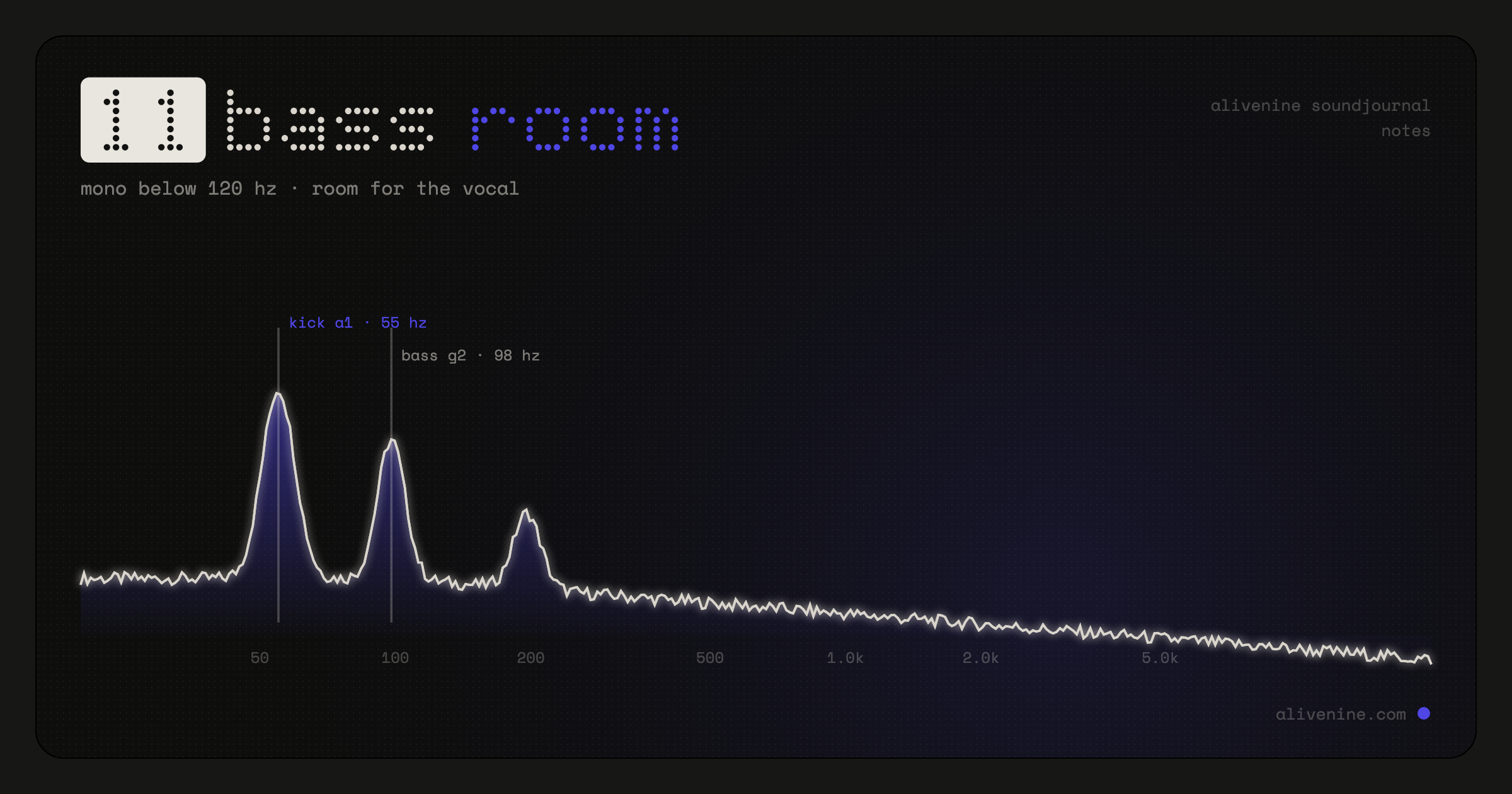
- For low end that holds up on small speakers, the spectrum matters more than the LUFS number. Our note on a bass that leaves room for the kick and the vocal shows the ranges we measure.
faq
What is a good LUFS level for Spotify?
Spotify plays music at -14 LUFS integrated and asks for a true peak below -1 dBTP. A master at -14 LUFS plays back unchanged. A louder master is turned down to the same level, so it gains no loudness, only less punch.
What is the difference between LUFS and RMS?
RMS is the average energy of the signal with no regard for how the ear hears it. LUFS first applies K-weighting, which lowers the deep bass and lifts the upper mids, and then gates silence out of the value for the whole song. LUFS follows perceived loudness much more closely.
Do I need a true peak meter?
Yes, if you deliver to streaming or broadcast. A sample peak meter misses overs between samples that appear after conversion and encoding. A true peak reading under -1 dBTP avoids most of that distortion.
Is there a free LUFS meter for Mac?
Yes. alivemeter is free in alivehub as AU, VST3 and app. Youlean Loudness Meter has a free version, and Logic Pro comes with its own loudness meter.
Can I meter the audio of my whole Mac, not only my DAW?
The alivemeter app does that on macOS 14.2 and newer. It reads the system audio directly, so music apps, browsers and video players all show up on the meter.
What does LRA mean on a loudness meter?
LRA is the loudness range of a song in LU. It describes how far the quieter and louder parts lie apart, without the extremes. A calm ballad and a club track each sound right with very different values.
Try alivemeter in your browser, or install it for free with alivehub. If your low end feels crowded on the meter, read how to make a bassline next.