· by max
au, vst3, aax, clap: plugin formats explained
Every plugin page lists a row of letters: AU, VST3, AAX, sometimes CLAP. They decide one thing, whether a plugin shows up in your DAW at all. The sound is made somewhere else. Once you know which DAW takes which format, and what Apple Silicon changed on the Mac, most of the "my plugin doesn't show up" moments explain themselves. Here is the whole picture, with the folders where each format lives.
- a plugin format is the plug that connects a plugin to a daw. the same code inside can be built as au, vst3, aax or clap.
- logic pro and garageband only take au. pro tools only takes aax. ableton live takes au and vst3 on the mac.
- the same plugin built from the same code sounds the same in every format. pick the one your daw prefers.
- vst2 is the old version. steinberg stopped handing out its sdk in 2018, so new plugins come as vst3.
- on apple silicon, look for plugins that run native. intel only plugins need rosetta, and some daws then have to run in rosetta too.
what a plugin format is
A plugin is a small program that runs inside another program. Your DAW sends it audio or MIDI, the plugin does its work and sends the result back, many times a second, in small blocks. For that to work, both sides have to agree on how they talk: how the DAW asks for the next block, how parameters are named and automated, how the plugin draws its window, how a project saves its settings.
That agreement is the format. AU, VST3, AAX and CLAP are four different agreements for the same job. A developer writes the sound once and then builds it into one or several of these shells. What you install is the shell with the sound inside.
That's also why a plugin page lists several formats for one tool. It's one instrument with several plugs, like a lamp that ships with different plugs for different countries.
the formats one by one
AU, Audio Units
Apple's format, part of Core Audio on the Mac since the early years of Mac OS X. AU only exists on Apple platforms. Logic Pro and GarageBand use it exclusively, and many other Mac DAWs take it too. When you install an AU, macOS checks it once, and Logic runs its own check on top before it loads it. The classic version is called AU version 2, or AUv2.
AUv3
The newer version of Audio Units, introduced in 2015. An AUv3 lives inside an app as an app extension instead of a loose file in a plugin folder. That's the format of plugins on the iPad and iPhone: you install an app from the App Store, and its Audio Units show up in Logic Pro for iPad, GarageBand or any other host on the device. On the Mac, Logic and Live load AUv3 as well.
VST and VST3
Steinberg's format, introduced in 1996, the most widespread plugin format on Windows and common on the Mac too. VST3 followed in 2008 and is a full rewrite with features like sidechain inputs as a standard part and plugins that only process when audio arrives. VST2 is the older version that many people still mean when they say "VST". Steinberg stopped licensing the VST2 SDK to new developers in 2018, and Cubase 14 ships with VST2 switched off by default. In October 2025, Steinberg put the VST3 SDK under the MIT license, so anyone can build VST3 plugins without signing anything.
AAX
Avid's format for Pro Tools, introduced in 2011. Pro Tools loads nothing else. AAX comes in a native version that runs on the computer and a DSP version for Avid's own hardware cards. To build AAX, a developer needs a separate agreement with Avid and a signing step for every release, which is one reason smaller makers often skip it.
CLAP
The newest format, published in 2022 by u-he and Bitwig as open source. CLAP was designed around things the older formats handle awkwardly, like per note modulation and using several processor cores well. Bitwig, REAPER and FL Studio load CLAP. Logic, Live and Pro Tools don't.
Standalone
Not a plugin format, but often listed next to them. A standalone is the same instrument as its own app, with its own audio and MIDI settings. Useful for playing without opening a project, for trying a sound, or for practising.
which daw takes which format
This is the table that answers most questions. It covers the current versions as of November 2026, checked against each maker's own manual or support pages.
| DAW | AU | VST3 | VST2 | AAX | CLAP |
|---|---|---|---|---|---|
| Logic Pro (Mac) | Yes, AUv2 and AUv3 | No | No | No | No |
| GarageBand (Mac) | Yes | No | No | No | No |
| Ableton Live 12 | Yes, Mac only, AUv2 and AUv3 | Yes | Yes | No | No |
| Pro Tools | No | No | No | Yes, only AAX | No |
| Bitwig studio | No | Yes | Yes | No | Yes |
| Cubase 14 | No | Yes | Off by default | No | No |
| FL Studio 2024 and later | Yes, Mac only | Yes | Yes | No | Yes |
| REAPER | Yes, Mac only | Yes | Yes | No | Yes |
The quick rule: on a Mac, a plugin that comes as AU and VST3 covers every common DAW except Pro Tools. On Windows, VST3 covers almost everything except Pro Tools. The sources are Ableton's Live 12 manual, Image Line's plugin standards page and the respective support pages of Apple, Avid, Bitwig and Steinberg.
If your DAW takes several formats, it usually lists the same plugin more than once. In Live you see the AU and the VST3 of a plugin side by side in the browser. Pick one and stay with it in a project, because a project saved with the VST3 version looks for the VST3 version when you open it again.
do formats sound different?
No, not when the plugin is built from the same code. The format only changes how the DAW hands audio to the plugin and back. The arithmetic on the samples is the same. If you null test the AU and the VST3 of the same plugin with the same settings, flipping the phase of one and playing both, you should hear silence, or something very close to it, with plugins that have no randomness inside.
Where differences do show up, they come from somewhere else:
- Different defaults. Some makers ship slightly different presets or initial settings per format.
- Oversampling or quality settings that a host switches on for offline rendering in one format and not the other.
- Gain staging. One version inserted at another point in the chain, or with a different input level.
- Movement on purpose. Plugins that drift or vary by design won't null against themselves twice, in any format.
So the choice is practical. Take the format your DAW handles best. In Logic that's AU anyway. In Live on the Mac, both work, and VST3 makes a project easier to move to a Windows machine.
apple silicon, rosetta and universal
Since 2020, new Macs run on Apple's own chips instead of Intel processors. The two speak different machine languages: arm64 on Apple Silicon, x86_64 on Intel. A program is built for one of them, or for both at once.
| Build | Runs on Apple Silicon | Runs on Intel |
|---|---|---|
| Apple Silicon only (arm64) | Native | No |
| Intel only (x86_64) | Through Rosetta 2 | Native |
| Universal (both inside one file) | Native | Native |
Rosetta 2 is Apple's translator. It lets Intel software run on Apple Silicon, usually well, at some cost in speed and memory. The catch with plugins is that a plugin runs inside the DAW's process, so both have to speak the same language. How each DAW handles that differs:
- Logic Pro runs native and still loads most Intel only Audio Units, as long as Rosetta is installed. Apple's own page describes it, and says there's rarely a reason to start Logic itself in Rosetta.
- Ableton Live running native loads only native plugins. For an Intel only plugin, you start Live in Rosetta, which then makes every plugin in that session run translated.
- FL Studio runs Intel only VST plugins through a bridge in their own process. Audio Units are handled by macOS and need no bridge.
- Cubase on Apple Silicon can't load VST2 at all while it runs native. For those, Cubase has to start in Rosetta.
To find out what a program is built for:
- Select the DAW or a standalone app in the Finder and choose File, Get Info. Under Kind it says Application (Universal), (Apple Silicon) or (Intel).
- While the DAW runs, open Activity Monitor and look at the Kind column in the CPU tab. Apple means native, Intel means Rosetta.
- For a plugin file, the Terminal knows:
lipo -archsfollowed by the path to the file inside the plugin's Contents/MacOS folder prints arm64, x86_64 or both.
The simplest rule: when you buy plugins for a Mac today, look for universal or Apple Silicon native. Then nothing needs translating, and the DAW can run native.
where the files live
Installers put plugins into standard folders, and DAWs scan those folders. Knowing them helps when something is missing or when you want to remove a plugin by hand.
| Format | Mac | Windows |
|---|---|---|
| AU (.component) | /Library/Audio/Plug-Ins/Components | Does not exist |
| VST3 (.vst3) | /Library/Audio/Plug-Ins/VST3 | C:\Program Files\Common Files\VST3 |
| VST2 (.vst / .dll) | /Library/Audio/Plug-Ins/VST | Varies, set in the DAW |
| CLAP (.clap) | /Library/Audio/Plug-Ins/CLAP | C:\Program Files\Common Files\CLAP |
| AAX (.aaxplugin) | /Library/Application Support/Avid/Audio/Plug-Ins | C:\Program Files\Common Files\Avid\Audio\Plug-Ins |
| AUv3 | Inside its app, nothing to move | Does not exist |
On the Mac, each of these folders also exists in your user library (the same path starting with ~/Library). Plugins there are only visible to your user account. The library folder in your home is hidden by default: in the Finder, hold option and open the go menu to see it.
when a plugin doesn't show up
Almost always it's one of five things. Go through them in this order.
- Wrong format for the DAW. A VST3 never shows up in Logic, an AU never in Cubase, nothing but AAX in Pro Tools. Check the table above.
- Wrong folder. Check the folder table. An installer that asked for a custom path is a common cause.
- The DAW hasn't rescanned. In Logic, open the plugin manager under Logic Pro, Settings, Plug-in Manager and use Reset and Rescan Selection. In Live, open Settings, Plug-Ins, switch on Audio Units v2 and v3 or use VST3 Plug-In System Folders, and press Rescan.
- Architecture. An Intel only plugin in a native DAW. See the Apple Silicon section.
- A failed validation. Logic's plugin manager shows a failed check in red. Rescan once. If it keeps failing, the maker's support needs to know, with your macOS and DAW version.
the formats of the alivetools
Here is what the alivetools come as, taken from the build files of each tool and from the shop.
- AU and VST3 on the Mac for every tool. That covers Logic Pro, GarageBand, Ableton Live, Bitwig, FL Studio, REAPER and Cubase.
- Universal. Since November 2026, every release is built for Apple Silicon and Intel in one file. It runs native on both, macOS 10.13 or newer.
- Their own app. Most tools also open as a standalone, no DAW needed.
- Max for Live. alivevox and alivetape also come as Max for Live devices. alivehub puts them into one folder in your Ableton library.
- Windows, beta. Nine tools run on Windows as VST3, 64 bit: alivetape, alivedrift, alivemeter, alivevox, alivearp, alivebass, aliveloop, alivedrum and alivevisual. alivesynth is Mac only for now. The installer is on alivenine.com/download/windows.
- No AAX and no CLAP. That means the alivetools don't run in Pro Tools yet. We say it plainly so nobody buys a tool for Pro Tools and finds out later.
You don't need to pick the folders yourself. alivehub, the 9 in the Mac menu bar, installs every tool into the standard folders above and keeps them updated. And before any of that, most tools play right in the browser with the same code that runs in the plugin, so you can hear what you'd install.
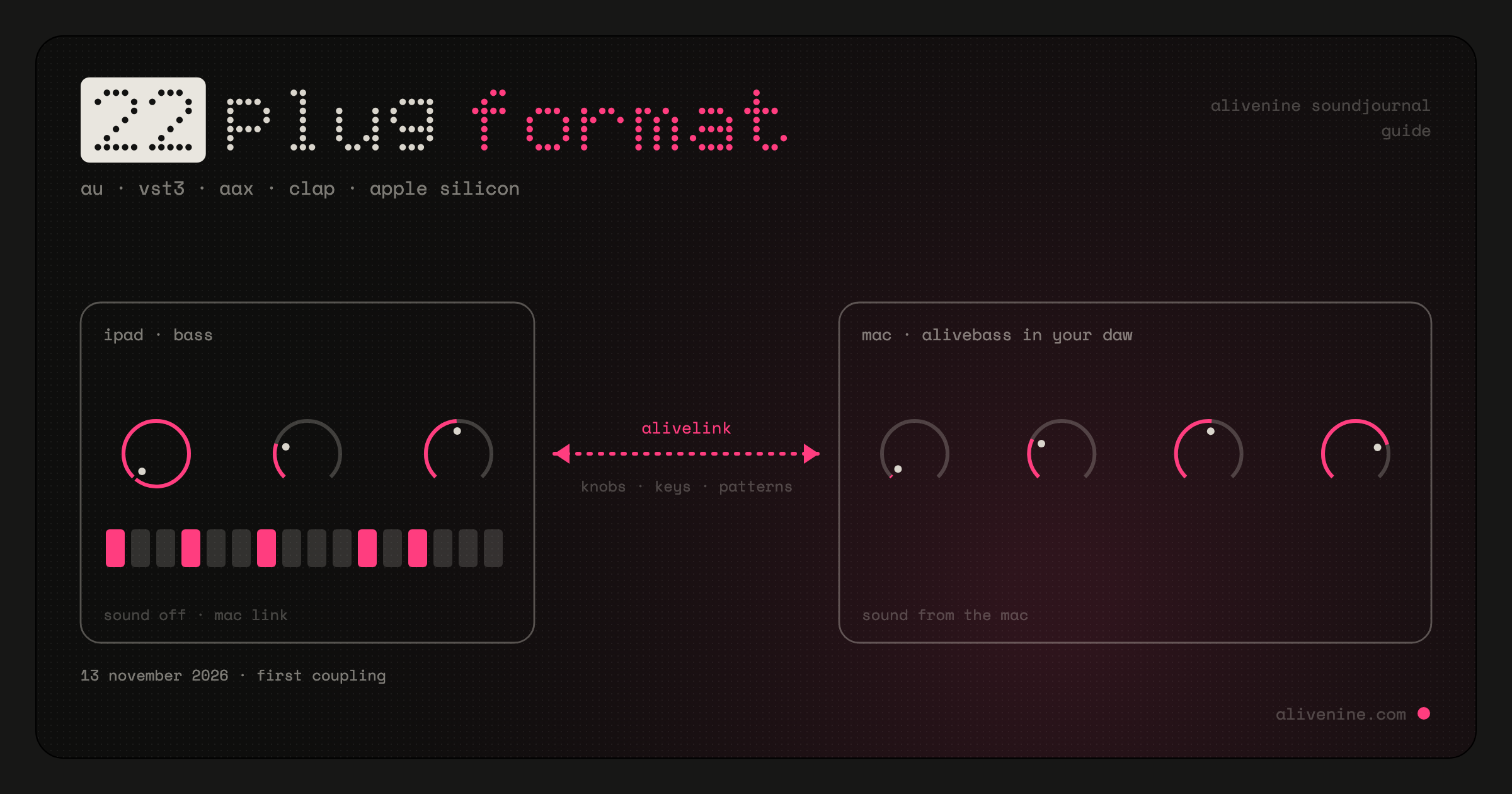
On the iPad, the format is AUv3. The alivetools app for iPad, which is in testing, carries eight tools that Logic Pro for iPad, GarageBand and AUM find as Audio Units. More on that in the alivelink article.
faq
What is the difference between AU and VST3?
AU is Apple's plugin format and only exists on the Mac. VST3 is Steinberg's format and runs on Mac and Windows. Built from the same code, a plugin sounds the same in both. Logic Pro and GarageBand need AU, most other DAWs take VST3.
What is AAX?
AAX is Avid's plugin format and the only one Pro Tools loads. It exists in a native version for the computer and a DSP version for Avid's hardware. A plugin without an AAX version doesn't run in Pro Tools.
Is VST2 still supported?
Many DAWs still load VST2, but Steinberg stopped licensing the VST2 SDK to new developers in 2018. New plugins come as VST3, and Cubase 14 has VST2 switched off by default.
Does Logic Pro support VST3?
No. Logic Pro only loads Audio Units, AUv2 and AUv3. If a plugin comes only as VST3, it won't show up in Logic.
How do I know if a plugin runs native on Apple Silicon?
Check the maker's page for universal or Apple Silicon. On your Mac, Activity Monitor shows Apple or Intel for a running app, and the Terminal command lipo -archs on the file inside the plugin lists the chips it was built for.
Which formats do the alivetools come in?
AU and VST3 for the Mac, universal for Apple Silicon and Intel, most tools also as their own app, alivevox and alivetape also as Max for Live devices, and nine tools as VST3 for Windows in beta. There's no AAX and no CLAP version.
If you want to try the sound before thinking about formats at all, open any alivetool in the browser. It's the same code you would install.