· by max
a free music visualizer for mac, and what makes one useful
A music visualizer turns sound into moving pictures. Some only follow how loud the music is. Others split it into bands and hear single hits. The difference decides whether the picture looks like your track or like a screensaver. Below is what to look for, the options that run on a Mac today, and alivevisual, which I build and give away.
- a visualizer that only reads loudness moves with everything at once. one that splits bands and finds hits can treat the kick, the bass and the hats differently.
- for a live set, the picture has to react within a few milliseconds and sit on a second screen without a window around it.
- bright flashes need a limit. the common guideline is no more than 3 flashes per second.
- apple music, vlc and obs plugins cover the basics for free. synesthesia and magic music visuals are paid tools for vj work.
- alivevisual is free as au, vst3 and mac app. it runs inside your daw, as a window, or as a moving wallpaper on one screen or all of them.
how a visualizer listens
Every visualizer starts with the same step. It takes a few milliseconds of audio and turns them into numbers. What it does with those numbers is where they differ.
loudness only
The simplest kind follows one value: the level. The picture grows when the song gets louder and shrinks when it gets quieter. It works, and it gets boring after a minute. A kick and a vocal line at the same level look identical, and a dense chorus just looks like a bigger version of the verse.
bands
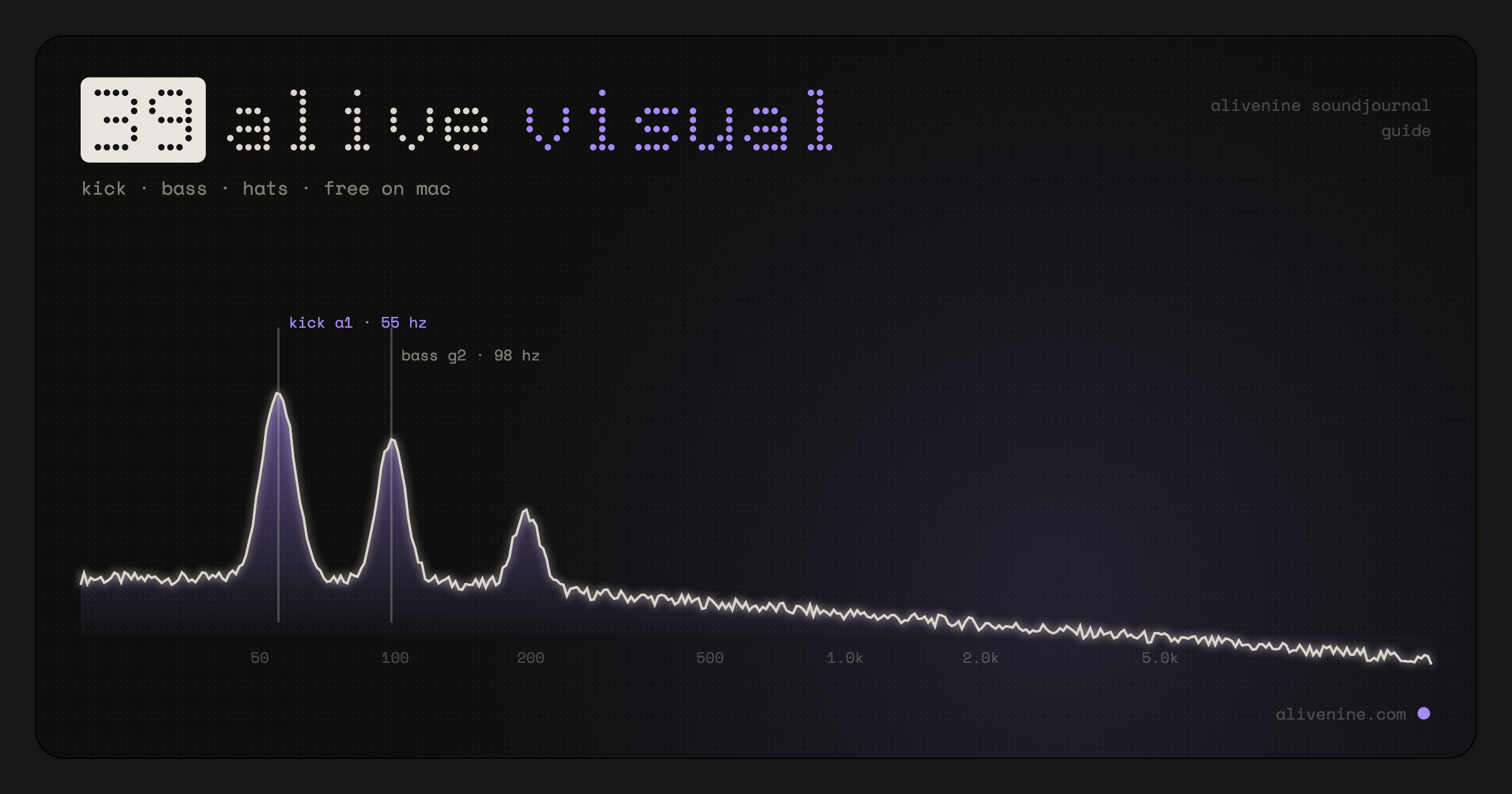
The next step splits the signal into frequency ranges. A spectrum display does this with an FFT and shows dozens of bars. For moving pictures, three or four bands are often enough: lows, mids, highs. Now the bass can drive one thing and the hats another. The picture starts to separate the parts of the track the way you hear them.
hits
Bands still only say how much energy there is. A hit is something else: a sudden jump above the recent average. A visualizer that detects hits can answer the kick with a push and the snare with a jolt, instead of fading everything up and down. This is the part that makes a picture feel locked to the groove.
tempo
The last layer is the beat grid. A visualizer that knows the tempo of your song can move slower in a 90 BPM track and faster at 140, and it can change something every 8 bars instead of at random moments. A DAW plugin can read the tempo straight from the transport. A standalone app has to guess it from the audio, or do without.
what makes a visualizer useful
For a screensaver, almost anything works. Once you put the picture in front of people, a few things decide whether it helps the music or fights it.
latency
The picture has to land with the sound. The analysis itself can be fast, a few milliseconds. What adds delay is everything around it: audio buffers, the path from the audio app to the picture app, the frame rate of the display, and in some setups a projector that adds its own processing. If the picture runs behind the kick, the ear notices it long before the eye can say why. A visualizer that sits in the same audio path as the music, as a plugin on the master, avoids the detour through a virtual audio cable.
bands and hits, not just level
As above. If you want the bass to glow while the hats sparkle, the visualizer has to know which is which. For club music this matters most, because kick and bass carry the track and everything else sits on top.
silence and breaks
A lot of visualizers raise their sensitivity when the music gets quiet. In a breakdown, that turns a pad into a storm of movement, and then the drop has nothing left to add. A good one stays calm in the break and hits hard when the kick comes back.
flicker
Fast, bright flashes can trigger seizures in people with photosensitive epilepsy. The web accessibility guidelines set the line at no more than 3 flashes in any one second. A visualizer that turns every hi-hat into a white flash breaks that rule in the first bar. For anything shown in public, a built-in limit is not optional.
a second display without a window
On stage, the picture goes to a projector or a screen behind you. That needs a mode where it fills one display, without title bars or controls, while your laptop screen stays free for the DAW.
recording and capture
For a stream or a release video, the picture has to leave the app somehow. Some tools record a video file. VJ software often sends its picture to other apps through Syphon or NDI. Everything else can be picked up with a screen or window capture, in OBS or with the recording built into macOS.
cpu and gpu
A visualizer runs next to your DAW. On a laptop on battery, a shader at 60 frames per second costs power that the synths might need. Look for a way to lower the frame rate when nobody is watching.
music visualizers on the mac
These are the options we know well enough to describe, from the built-in to the professional.
| Visualizer | Price | What it is |
|---|---|---|
| alivevisual | Free | AU, VST3 and Mac app. Reacts to kick, bass, snare and highs separately, follows the DAW's tempo, runs as a wallpaper on any screen, can listen to the system audio. |
| Apple Music visualizer | Part of macOS | Inside the Music app, under Window, Visualizer. Reacts to songs playing in Music. |
| VLC | Free | Audio, visualizations while a file plays. Spectrum, scope and similar displays. Which ones appear depends on the version. |
| OBS plugins, for example Waveform | Free | Add a spectrum or waveform as a source in OBS, fed by any audio source in your scene. |
| projectM | Free, open source | A MilkDrop-compatible engine with thousands of community presets. Runs as a standalone app or as a plug-in for Apple Music. |
| Synesthesia | Paid, free download | VJ software for Mac and Windows with audio-reactive scenes, Syphon, Spout and NDI. |
| Magic Music Visuals | Paid, free demo | A modular editor for building your own audio-reactive visuals. Mac and Windows. |
apple music
The visualizer in the Music app is the one most people have already seen. A song has to be playing, then Window, Visualizer turns it on and Esc turns it off. It's fine for a listening session. It only reacts to what plays inside the Music app, so your DAW and your live set stay outside.
vlc
VLC can show a visualization while it plays an audio file: a spectrum, an oscilloscope and a few more. It is a media player, so it only sees the files it plays itself.
obs and audio-reactive sources
OBS has no visualizer of its own. Plugins add one. Waveform is a well-known one: it draws a spectrum, a meter or a waveform from any audio source in the scene, on Mac, Windows and Linux. For a stream overlay that shows that sound is playing, that's often enough. For a full-screen picture that follows the music, you need a visualizer app and capture its window.
projectm
projectM is an open-source rebuild of MilkDrop, the visualizer many people know from Winamp. Its strength is the large library of presets written by its community. If you like the psychedelic look, there is a lot to explore.
synesthesia and magic music visuals
Both are tools for people who want to build visuals as a craft. Synesthesia comes with audio-reactive scenes and talks to other VJ software through Syphon, Spout and NDI. Magic Music Visuals lets you wire your own scenes from modules. Both cost money for the full version, and both can be tried for free first. If visuals are a second job for you, they're worth a look.
alivevisual, up close
I feel music, I don't only hear it. alivevisual is my way of showing that: the kick pushes the picture, the bass glows, and the image changes when the track does. It started as a tool for my own sessions and is free since November 2026. It never needs a license.
as a plugin in your daw
alivevisual is an AU and VST3 effect. Put it on the master and press play. The plugin window shows the picture, and you can drag it from 480 × 300 up to 3840 × 2160 pixels. The audio passes through untouched. The world, the colour and the controls are saved with your project, so the song opens with the same picture next time.
The plugin reads the tempo and the beat position from the DAW. At 120 BPM the movement runs at its normal speed. A slower song moves slower, a faster one faster.
You can also put a copy on single tracks and give each one a role: master, drums, bass, synth, vocal or other. Each copy sends its analysis to the alivevisual app about 60 times per second, only on your own Mac. When several are running, the app follows the master.
what it hears
The analysis splits every track into three bands, with the borders at 180 Hz and 2500 Hz. The envelope rises within 4 ms and falls over 140 ms. A kick counts as a hit when the energy in the lows jumps to more than 2.2 times its own recent average. Snare hits are found in the mids, hats in the highs, and there are at least 90 ms between two hits in the same band. The plugin also measures stereo width and where the sound sits between left and right.
Each of these drives its own thing in the picture:
- Kick: a push, a wave or a ring, depending on the world
- Bass: glow, depth and forward motion
- Snare: a short jolt that springs back
- Mids: the picture swirls
- Highs and hats: sparkle
- Stereo width: the image opens up
- Left and right: the light moves with the sound
One rule holds it together. Mids, highs and effects only come through when kick and bass are there. In a break without low end, the picture drifts calmly. The level it compares against forgets very slowly, over about a minute, so a quiet break stays quiet instead of being turned up, and the drop lands with full force. In silence nothing reacts at all.
flicker protection
Bright pulses are limited to one every 340 ms, which keeps them under 3 per second, and they stay soft. Brightness, glow and exposure can only change at a fixed rate. Movement is allowed to be fast. The light is not.
worlds, colours and the journey
There are three worlds. Nebula is soft, shaped fog with five forms: core, veil, ring, pillars and vortex. Crystal is hard geometry, also with five forms. Dust is a cloud of points that gathers into a moon, a sphere, a ring, a knot, a wave, a spiral or a cloud, with five looks in black, gray, white and red. Eight colour worlds and five effects sit on top, from grain to a CRT look with lines and a colour raster.
reaction sets how strongly the picture answers kick and bass. The app offers it in three steps, calm, medium and wild. Tempo sets how fast everything moves.
journey lets the picture travel by itself. With the DAW's tempo running, the form moves on after 32 beats. Without tempo, after about 25 seconds. A drop after a quiet stretch also counts as a good moment. The picture fades out over 0.9 seconds, changes form and angle, and fades back in over 1.4 seconds. In dust, the points flow into the next figure without fading.
as an app and as a wallpaper
The alivevisual app runs on its own, with an icon in the menu bar that holds every control. Close the window and it keeps running up there.
Switch on wallpaper and the picture moves behind all your windows, on every screen or on just one that you pick. It only starts when you switch it on, never at launch. Clicks go through it to the desktop, and the picture follows your mouse.
If no plugin is running, the app can listen to everything the Mac plays, from a music app or a browser, without extra routing software. This needs macOS 14.2 or newer, and macOS asks for permission the first time.
A saver mode keeps the cost low. Normally the wallpaper draws 60 frames per second. With saver on, it draws 30, then 15 on battery, 5 after 4 seconds of silence and 2 when the picture is completely covered.
alivevisual runs on every Mac from macOS 10.13, Apple silicon and Intel. On Windows there is a VST3 beta of the plugin. You can also see a lighter web version of its worlds behind the browser demos on this site, with the switch in the header.
live set, stream, release video, studio
a live set
Put alivevisual on the master in your live set. In the app, pick the screen that goes to the projector and switch on wallpaper. The picture fills that display and follows the tempo of the set, while your laptop screen stays free for the DAW. Set the menu bar to hide in System Settings if you don't want it on the projector, and keep the mouse on your own screen, since the wallpaper follows it.
Turn on journey for long sets so the picture changes form with the music. For a slow, ambient set, set reaction to calm. For a club set, medium is usually enough. wild is for the peak hour.
a stream
alivevisual has no Syphon or NDI output. For OBS, capture the app window, or put the wallpaper on a second display with nothing else on it and capture that display. If you only play music from the Mac without a DAW, switch on system audio in the app, and the picture follows whatever OBS is also sending.
a release video
The Mac app doesn't record video by itself. The clean way: play the final master through the plugin, record the screen or the window, and lay the bounce under the picture in your video editor. macOS has screen recording built in with Shift Cmd 5. Pick a world and a colour that fit the cover, switch off journey if you want one look for the whole song, and record at the size of the platform you post to.
in the studio
This is where I use it most. The plugin window next to the arrangement shows things a meter doesn't: whether the kick still pushes after the compressor, whether the bass carries the drop, whether a break is really empty. It's not a measuring tool. For numbers, use a loudness meter like alivemeter. But a picture that stops pushing when the kick gets buried is a quick hint to listen again.
It also helps when you've been in a session too long. Put the wallpaper on, step back from the screen and listen to the track as music for a minute. Sometimes that's enough to hear what the next move is, the same way a little drift on a synth can wake up a loop you stopped hearing.
faq
Is there a free music visualizer for Mac?
Yes. alivevisual is free as AU, VST3 and Mac app and never needs a license. Apple Music has a visualizer built in, VLC shows visualizations while it plays files, and projectM is free and open source.
Can I use a visualizer as a plugin in Ableton or Logic?
Yes. alivevisual runs as an AU and VST3 effect, so it opens in Ableton Live, Logic Pro and every other DAW that takes AU or VST3. Put it on the master and the picture follows that sound and the tempo of your song.
Can a visualizer react to the audio of my whole Mac?
The alivevisual app does that on macOS 14.2 and newer, without extra routing software. It listens to music apps, browsers and video players when no plugin is sending.
How do I show a music visualizer on a second screen?
In the alivevisual app, pick the screen in the menu and switch on wallpaper. The picture fills that display behind all windows while your main screen stays free.
Does alivevisual work with OBS?
Yes, through capture. OBS can take the app window or a display that shows the wallpaper. There is no Syphon or NDI output.
Is a music visualizer safe for people with epilepsy?
It depends on the visualizer. The common guideline is no more than 3 bright flashes per second. alivevisual keeps bright pulses at least 340 ms apart and limits how fast brightness can change. If you show visuals in public, check any tool for this before the show.
See alivevisual, or install it for free with alivehub. New to the tools, read getting started with the alivetools next.